 Jason Williams
Overview
The days of battling soul-crushing traffic and wasting an entire day in a suffocating line JUST TO PAY your Motor Vehicle Fitness Fee are officially over. We can now pay this fee online! By the end of this article, you will know how to pay this fee in 15 minutes or less.
Note Well: I will be selecting the options that apply to Private Motor Vehicles in this tutorial. JAM-DEX will be used for payment; however, you can opt to use your credit/debit card.
The Tax Administration Portal(TAJ)
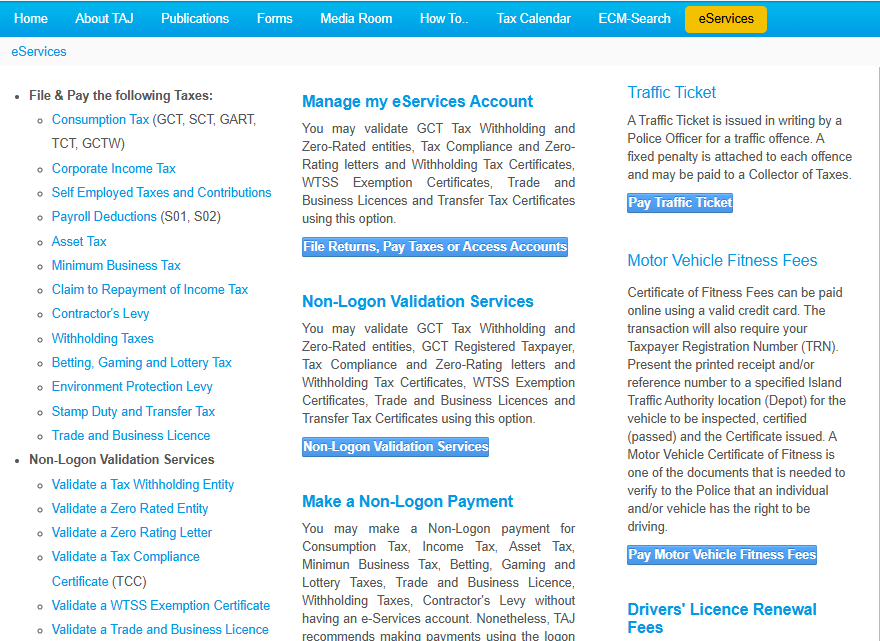
The first step is to sign in to the TAJ portal. Once signed in, you will redircted ot the eServices tab. Click the ‘Pay Motor Vehicle Fitness Fees’.
ADVERTISEMENT
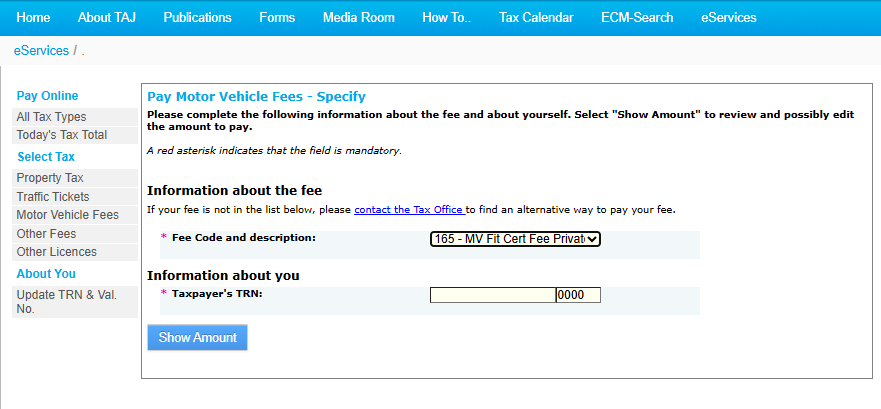
Now specify the fitness fee. I selected MV Fit Cert Fee Private. Enter your TRN, then select ‘Show Amount’.
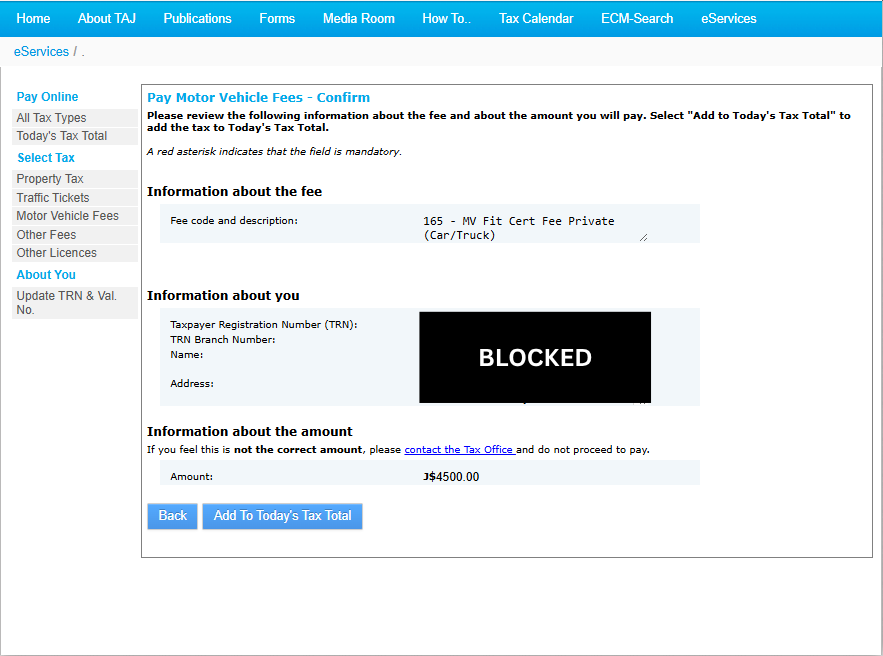
Confirm the Information presented.
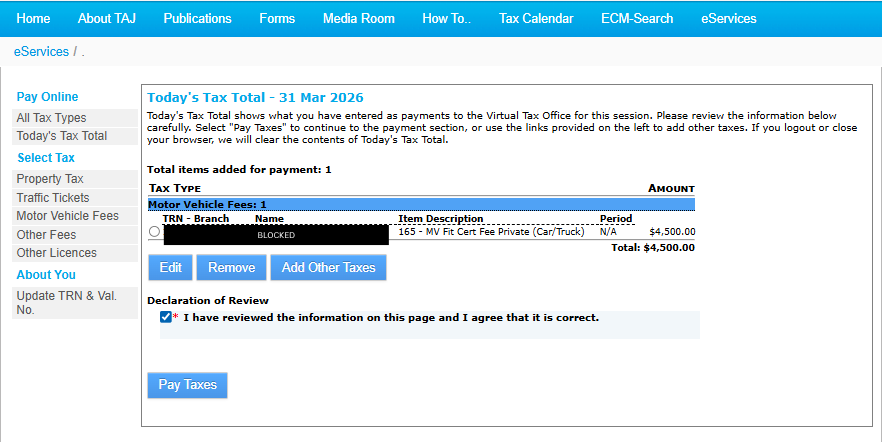
Check the Tax Total. Select the item and tick the checkbox. Once done, select ‘Pay Taxes’.
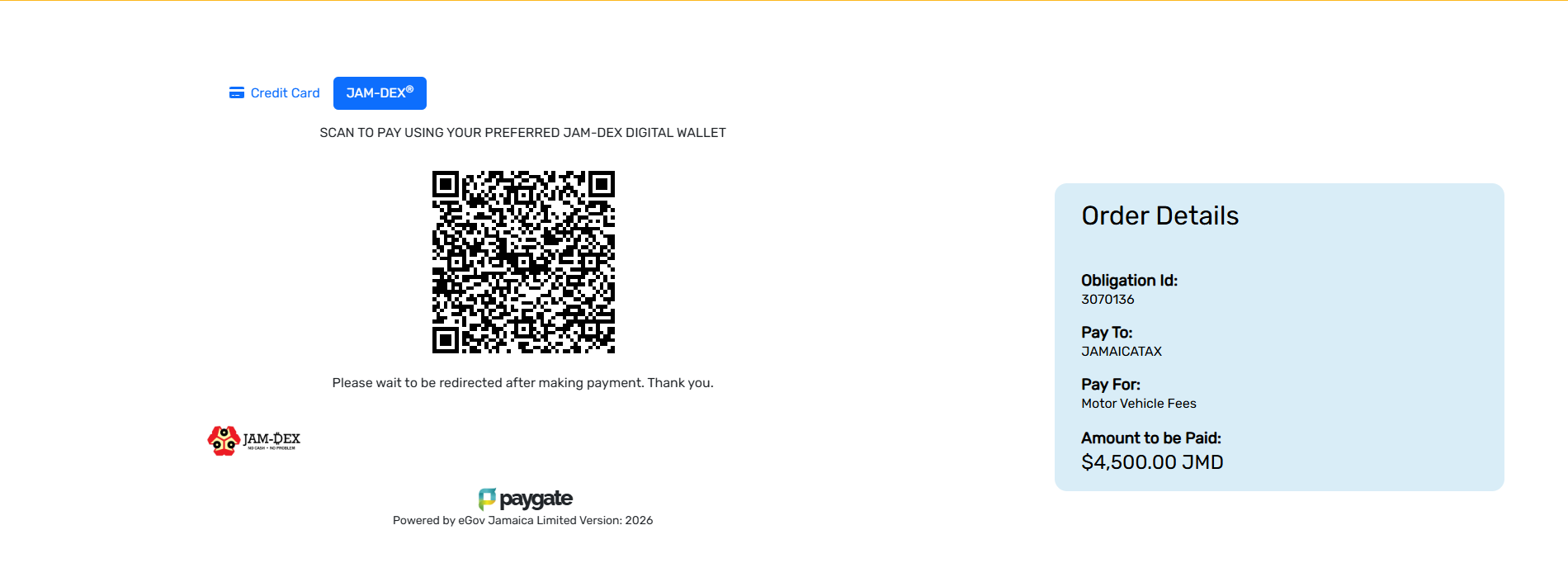
Paying Via JAM-DEX
You can now pay for your Fitness Fee with JAM-DEX! JAM-DEX(Jamaica Digital Exchange) is our Central Bank Digital Currency (CBDC), serving as a digital, cashless form of the Jamaican dollar. It is legal tender, valued 1:1 with physical cash. It allows us to conduct secure, instant, and free transactions via digital wallets like Lynk. Aside from the Fitness Fee, you can also pay for Property Taxes and Traffic Tickets with JAM-DEX.
ADVERTISEMENT
For this tutorial, I will be using Lynk to pay with JAM-DEX.
Note Well: There is a timer on the payment page. You have to complete the transaction before that timer runs out. Otherwise, you will have to restart the payment process.
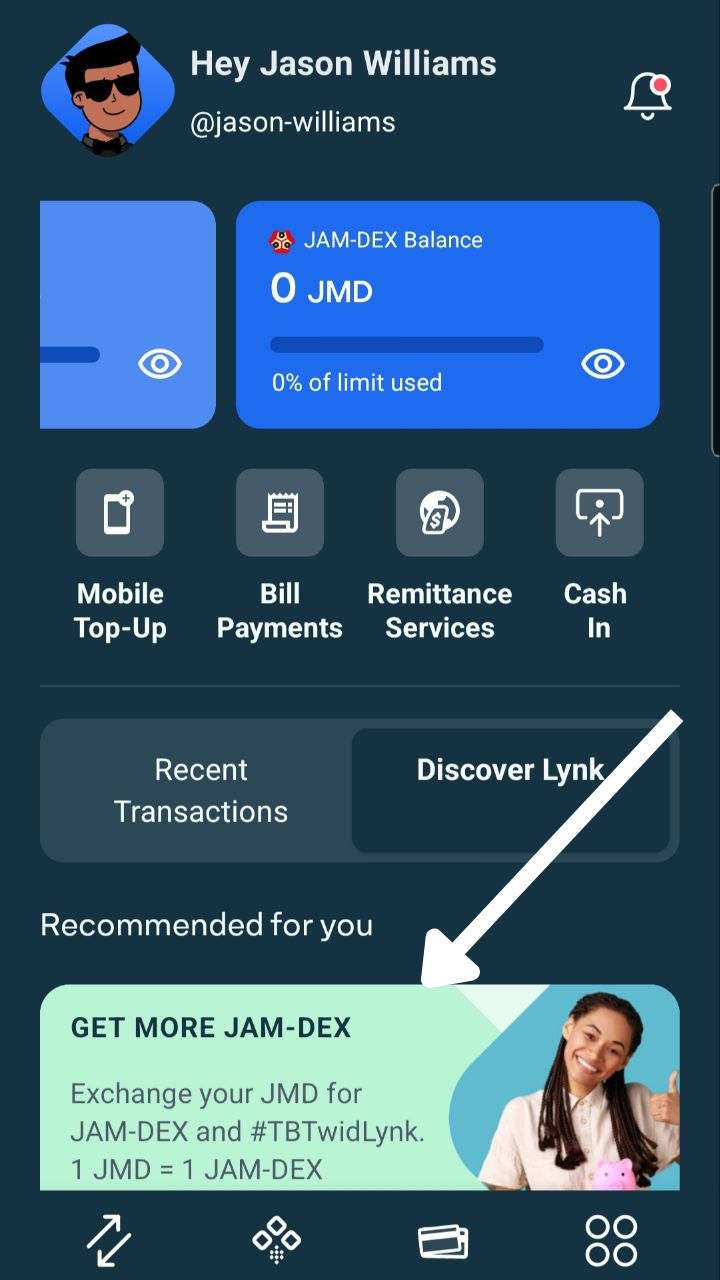
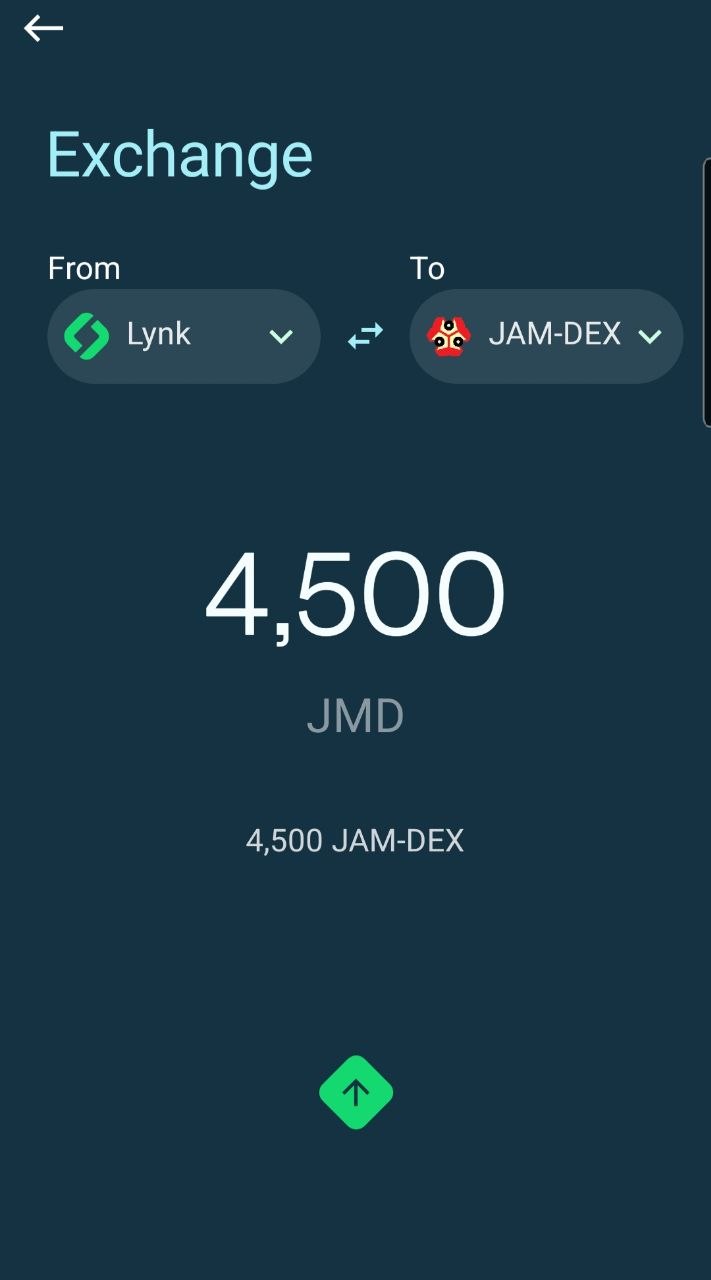
If you have money in Lynk but not in your JAM-Dex Account, select the banner below, then follow the transfer instructions.
Once done, return to the home screen. Select the QR Code Symbol(second symbol from the left on the bottom Nav Bar), then scan the QR code on the TAJ website.
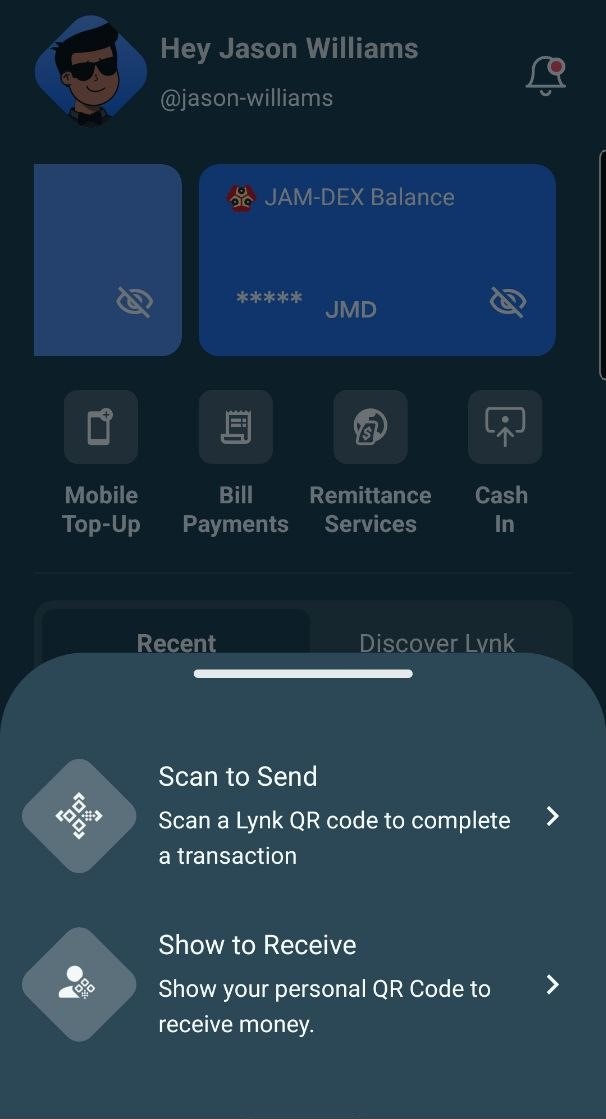
The QR Code should bring you to the screen below.
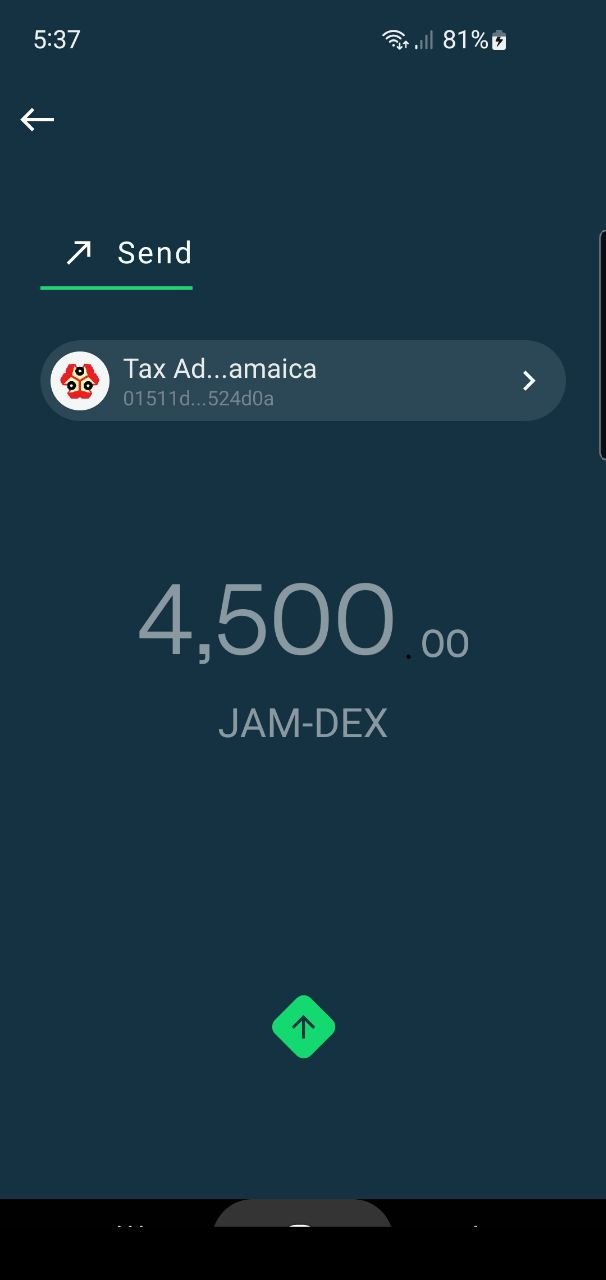
Once your payment is complete, the TAJ website will automatically display the confirmation screen shown below.
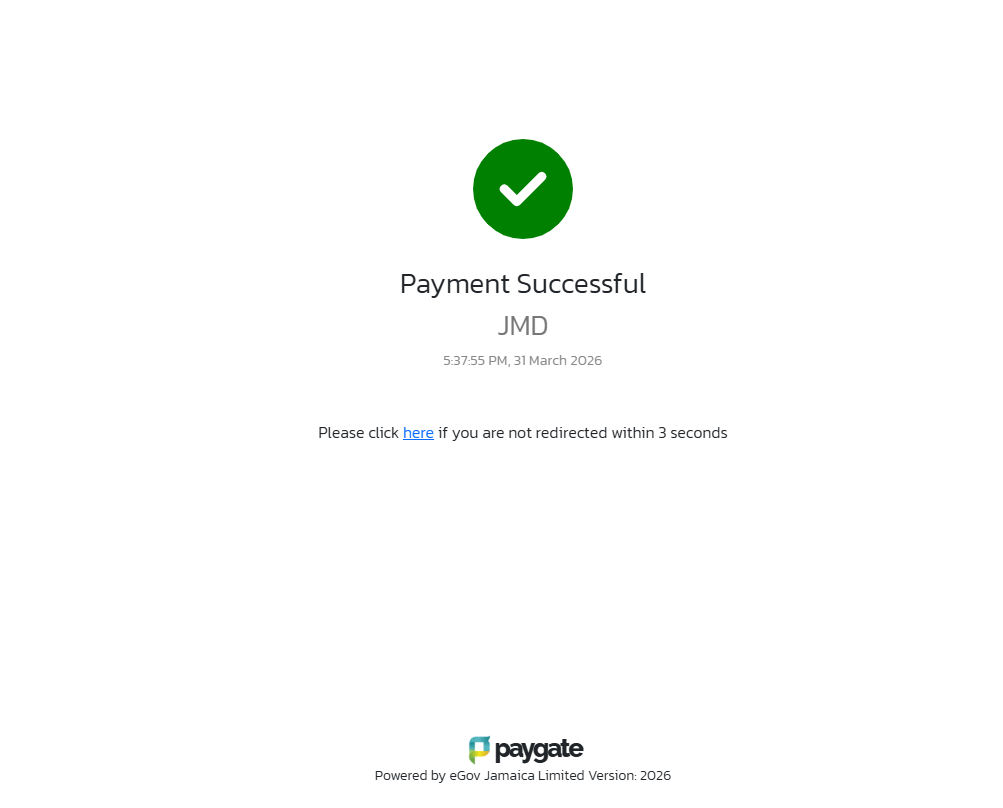
Congratulations, you have successfully paid your Fitness Fee without ever stepping outside the house! Check out the final confirmation screen below.
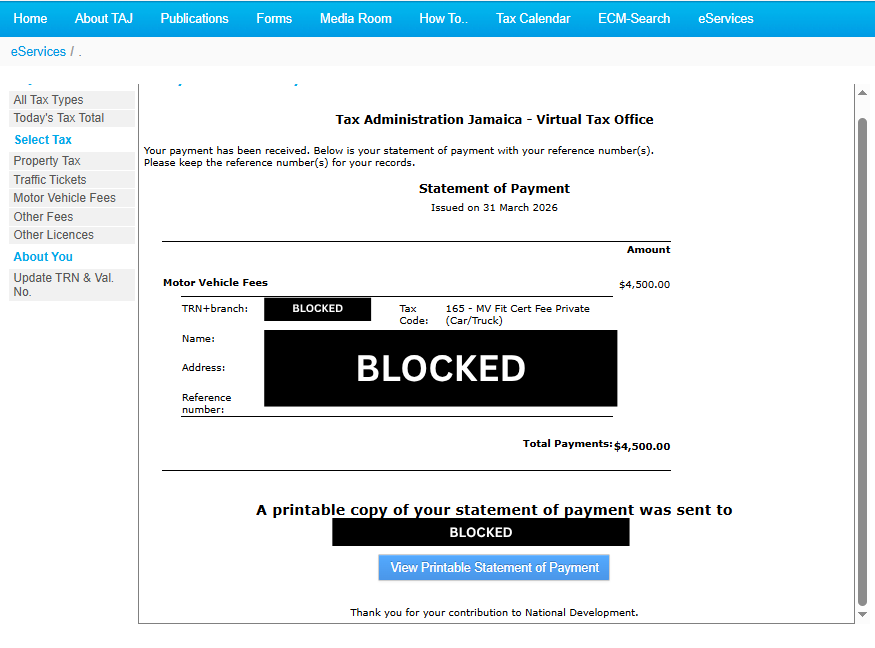
The Next Steps
This process took me about 15 minutes. You will receive an email immediately after completing the steps above. One of these emails will contain your Online Statement of Payment. Ensure that this is downloaded and available on your device.
Now that the Fitness Fee has been paid, head over to your nearest Examination Depot to complete the ‘Fitness Renewal’ process. Make sure to carry your Online Statement of Payment, TRN, and Motor Vehicle Registration Document.
This was part 1 of a 2 part series. You can find part 2 here.
How was the online Fitness Fee Payment process? Did you use JAM-DEX or a debit card? I’m looking forward to hearing about your experience in the comment section!
ADVERTISEMENT
About Author