 Jason Williams
Overview
Moving your Digital RSA token from one phone to another can be either easy or stressful, depending on who you ask. Following an industry-wide increase in digital fraud, National Commercial Bank(NCB) now requires customers to use their security tokens more frequently to authorize and protect their transactions. Token authorization is now mandatory for adding new payees, updating profile information, and executing transfers to other local banks.
This tutorial assumes that you still have the old phone with the RSA Token. If you don’t have it, contact NCB Customer Care to schedule a Zoom identity verification call to get a new token.
Note Well: I’m using a computer and two phones for this process.
Adding Your Token To A New Device
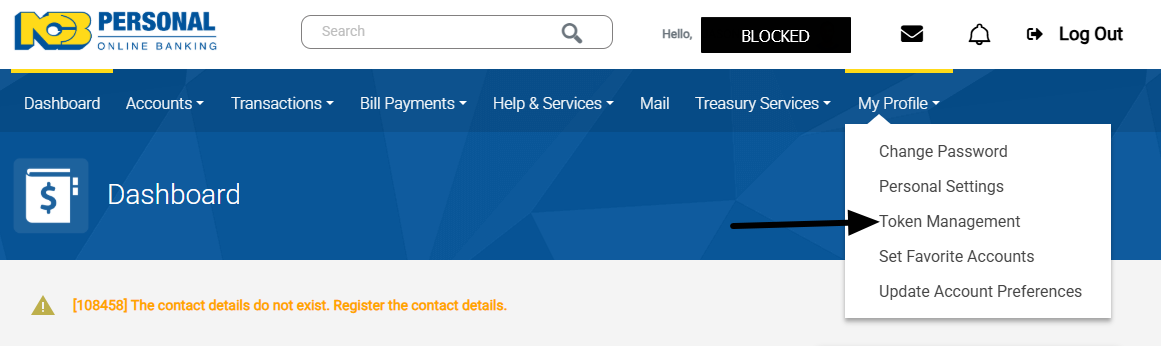
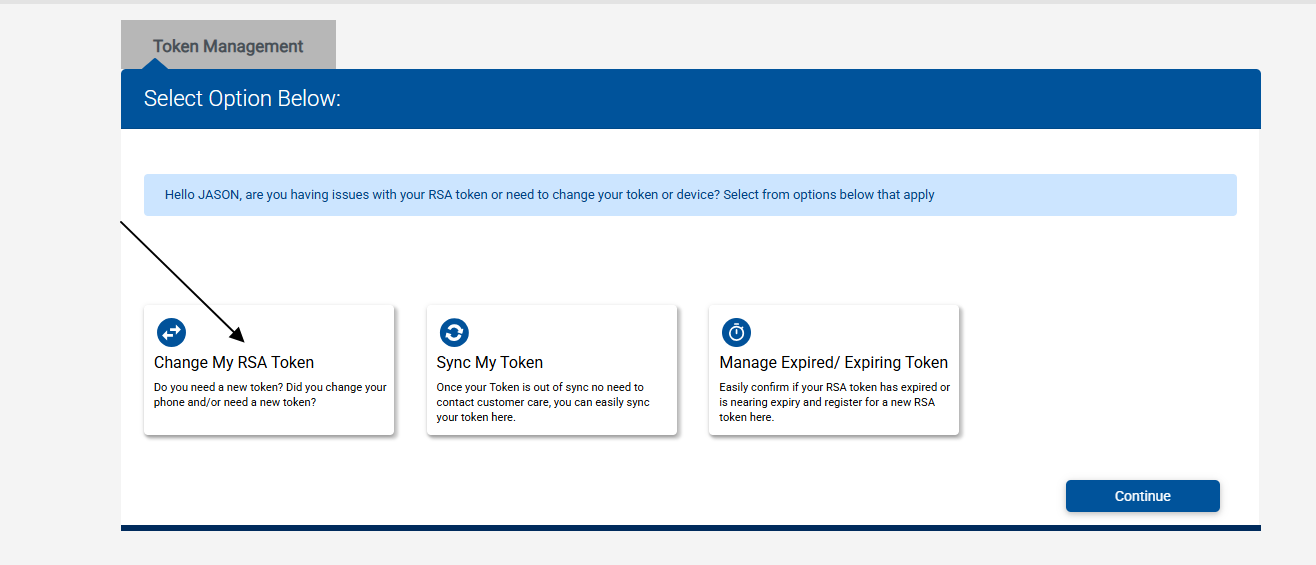
This process must be completed on the NCB Website. Please ensure that the current and new phones are nearby. After logging into the website, select My Profile > Token Management.
Select Change My RSA Token.
ADVERTISEMENT
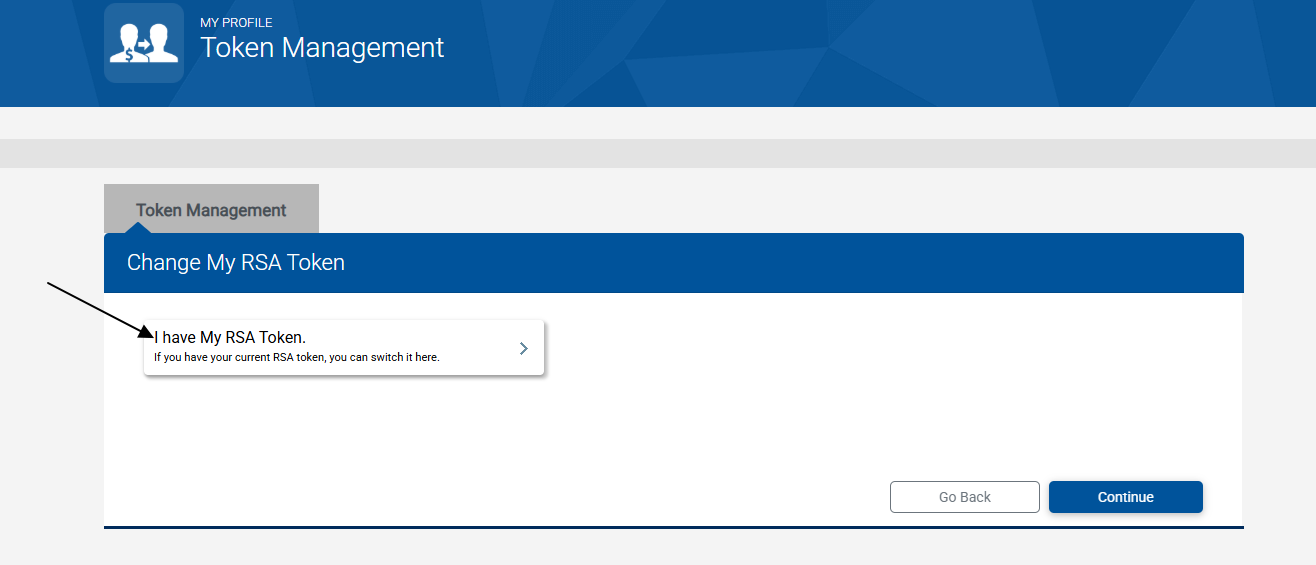
Select I Have My Token.
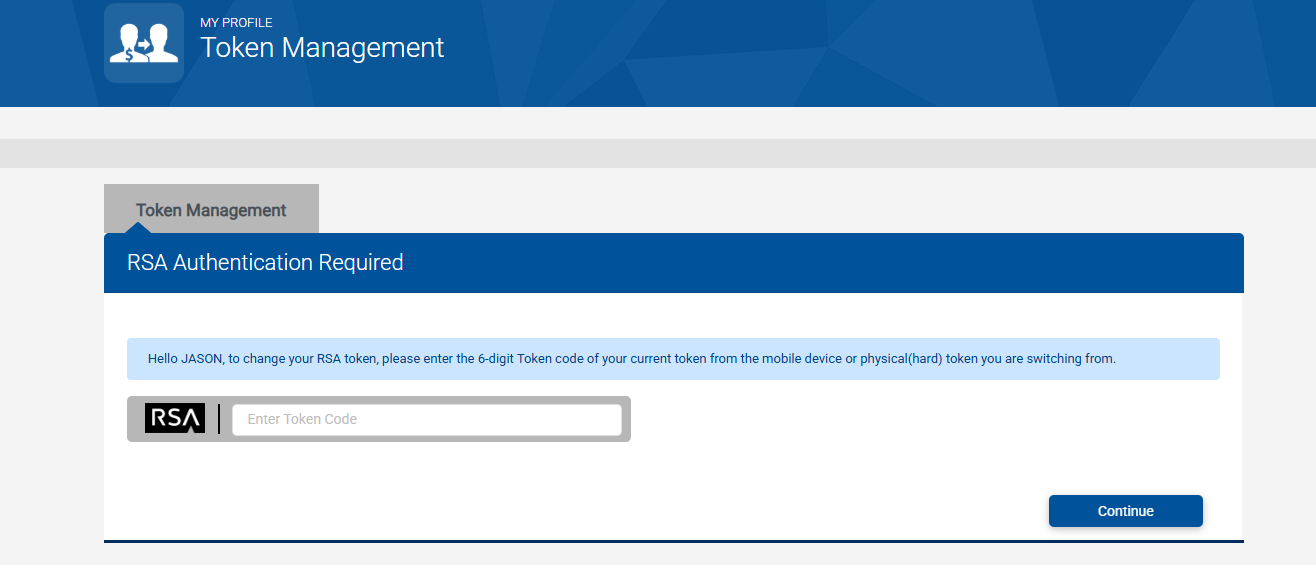
Enter The Code currently being displayed on your phone.
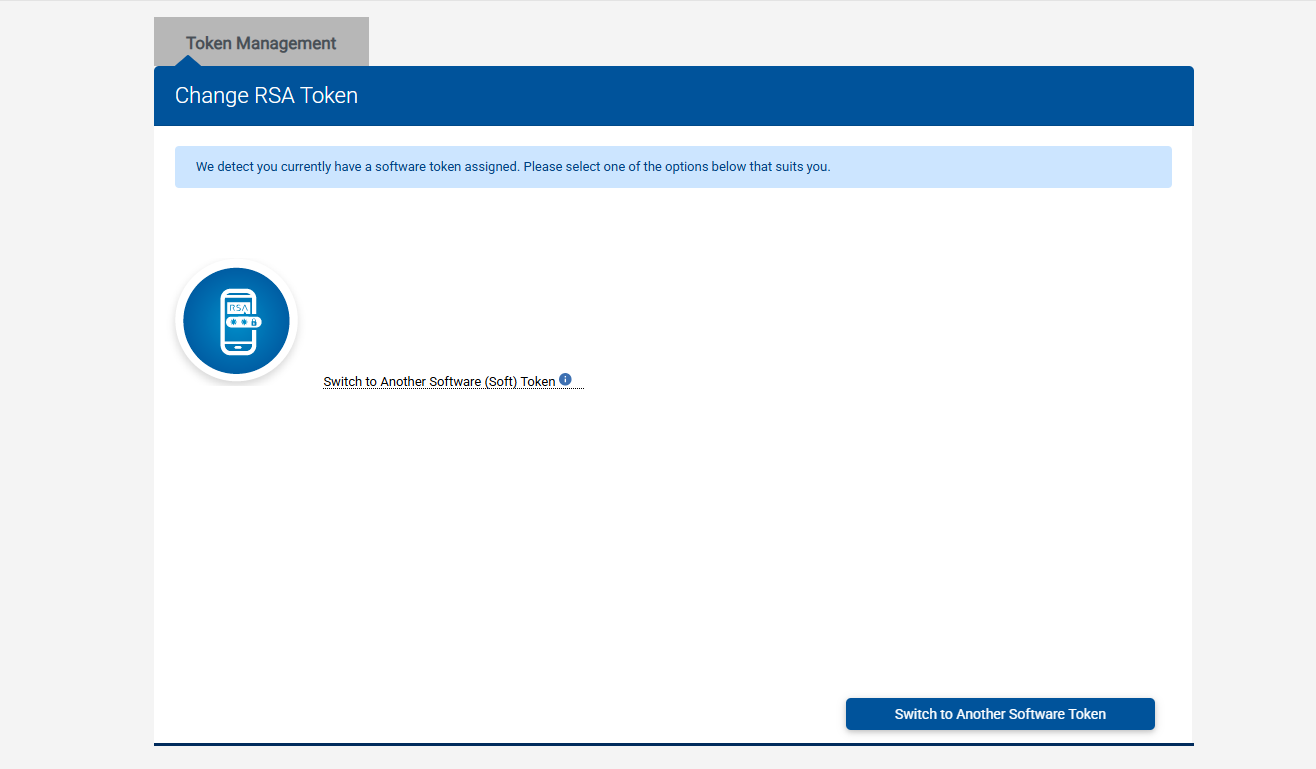
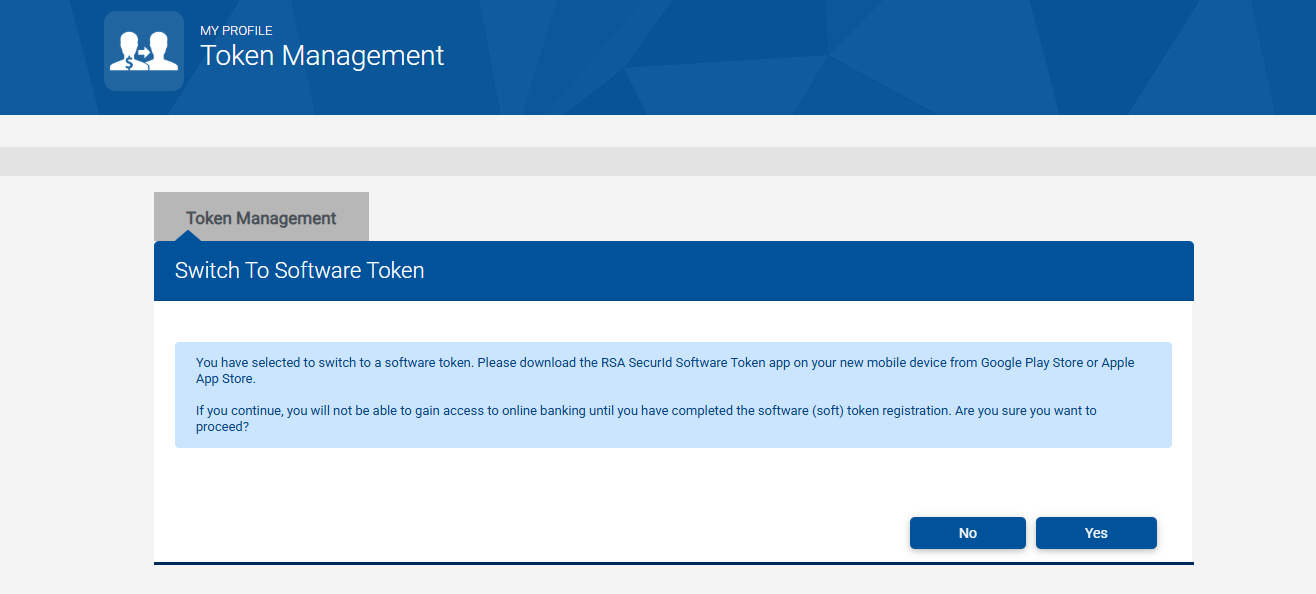
Select Switch to Another Software Token.
Select Yes.
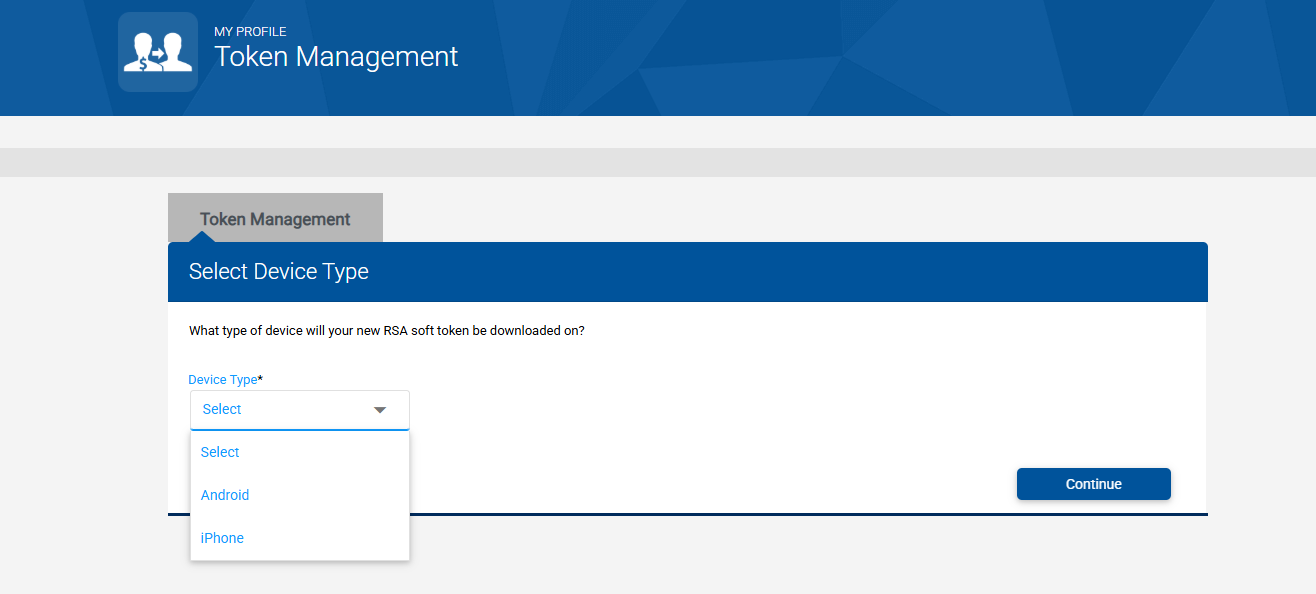
Select Your Device Type. Android was selected for this tutorial.
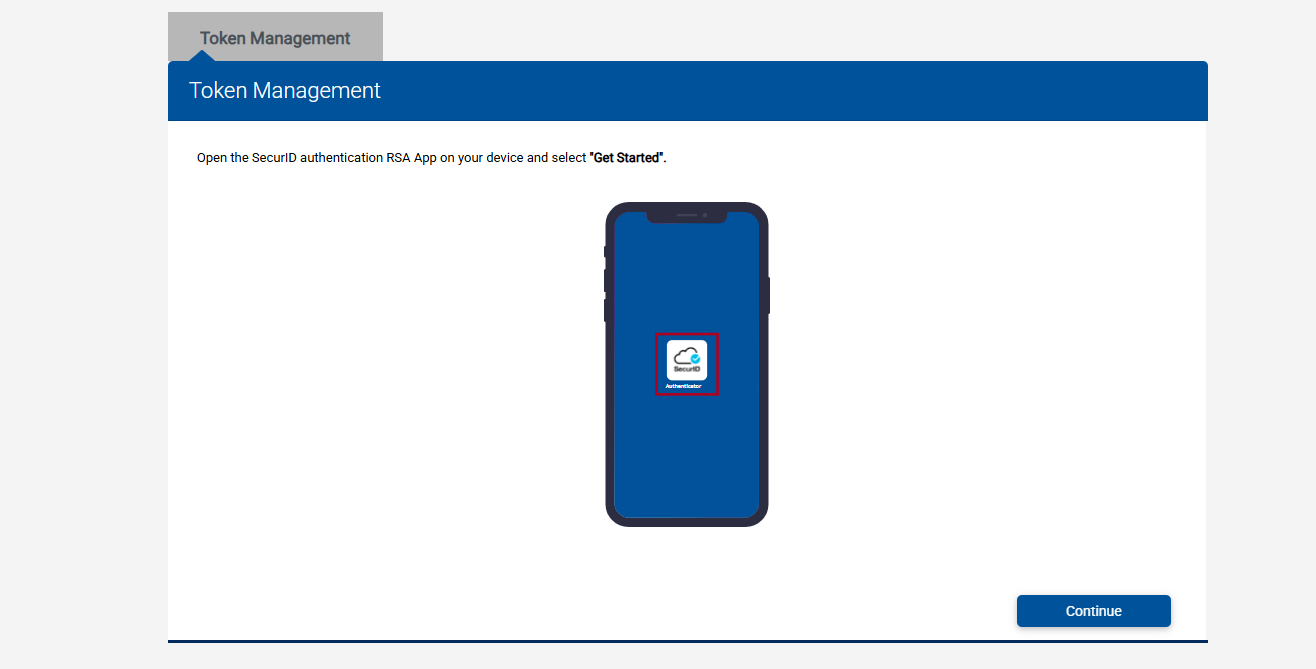
Open the SecurID App on Your New Phone and Get Started. Select Continue on the website.
ADVERTISEMENT
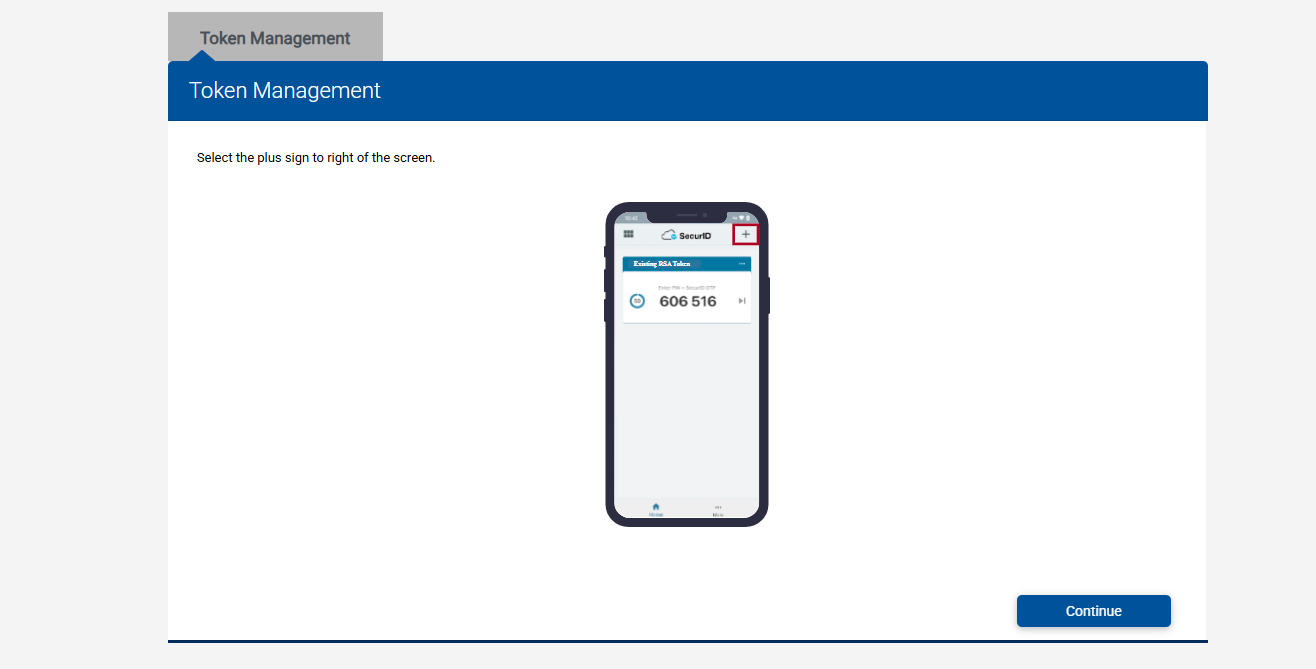
Select the ‘+’ icon on your phone, then Continue on the website.
The plus icon you clicked before will open the QR Code Scanner. Point the Phone Camera at the QR Code provided.
Note Well: The original QR Code below was replaced. You can scan the one in the image provided for a surprise😁.
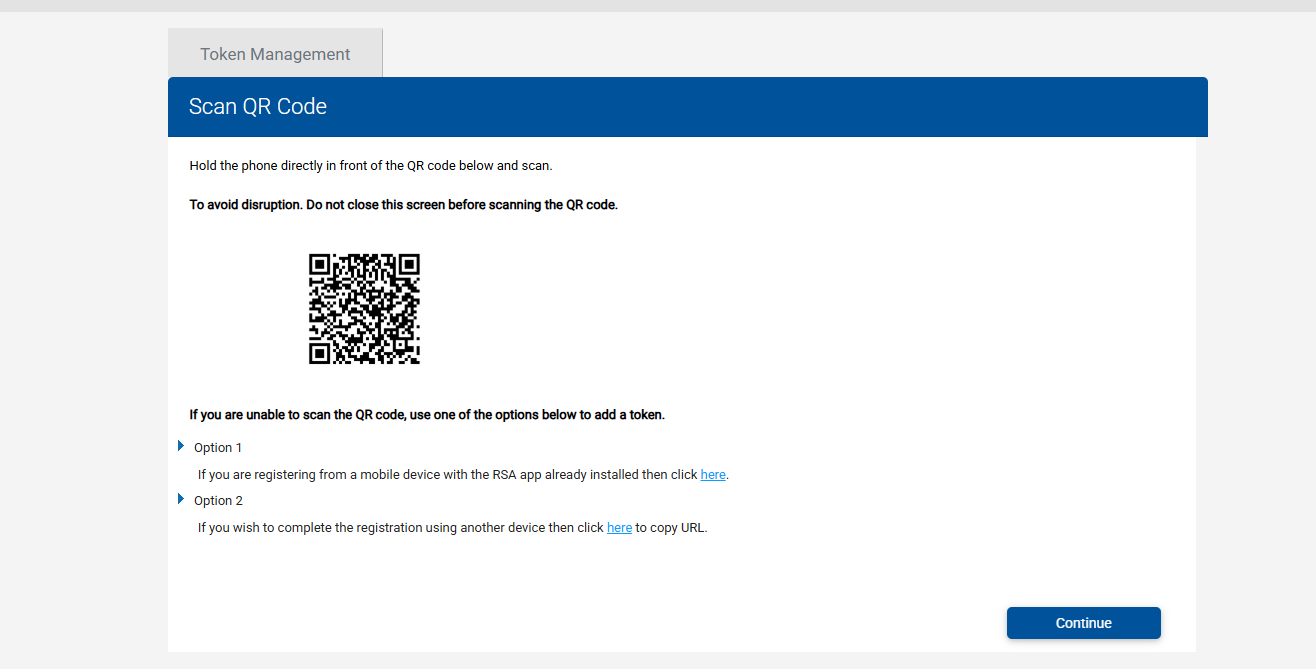
There should be an RSA Code being displayed on the new device. Enter that code on the Website and select Continue.
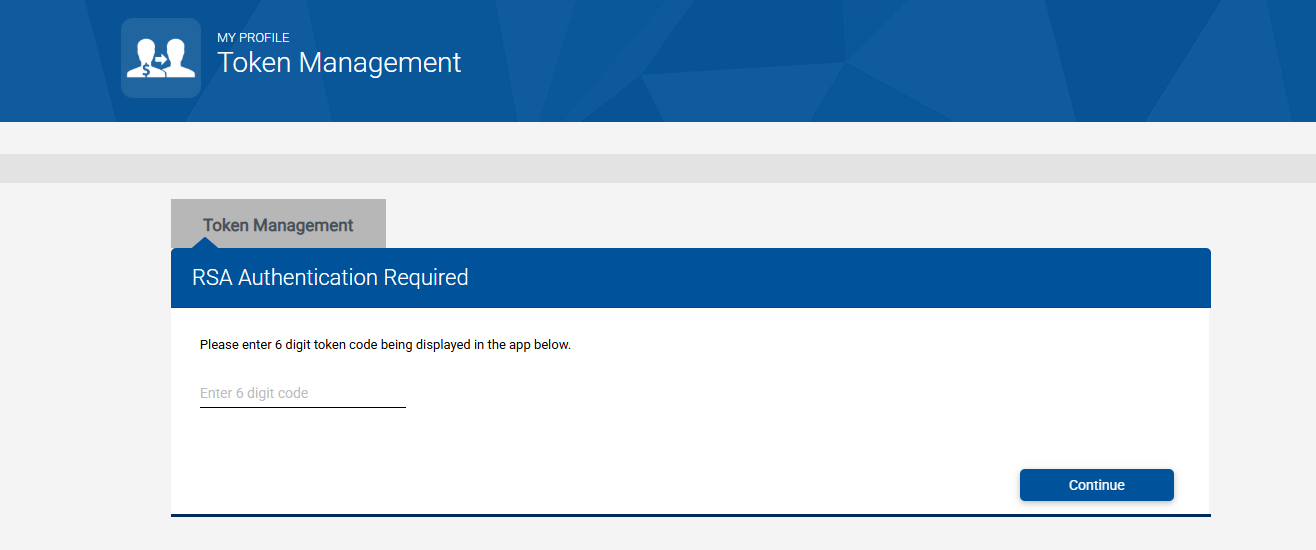
Your New RSA Digital Token has been successfully added!
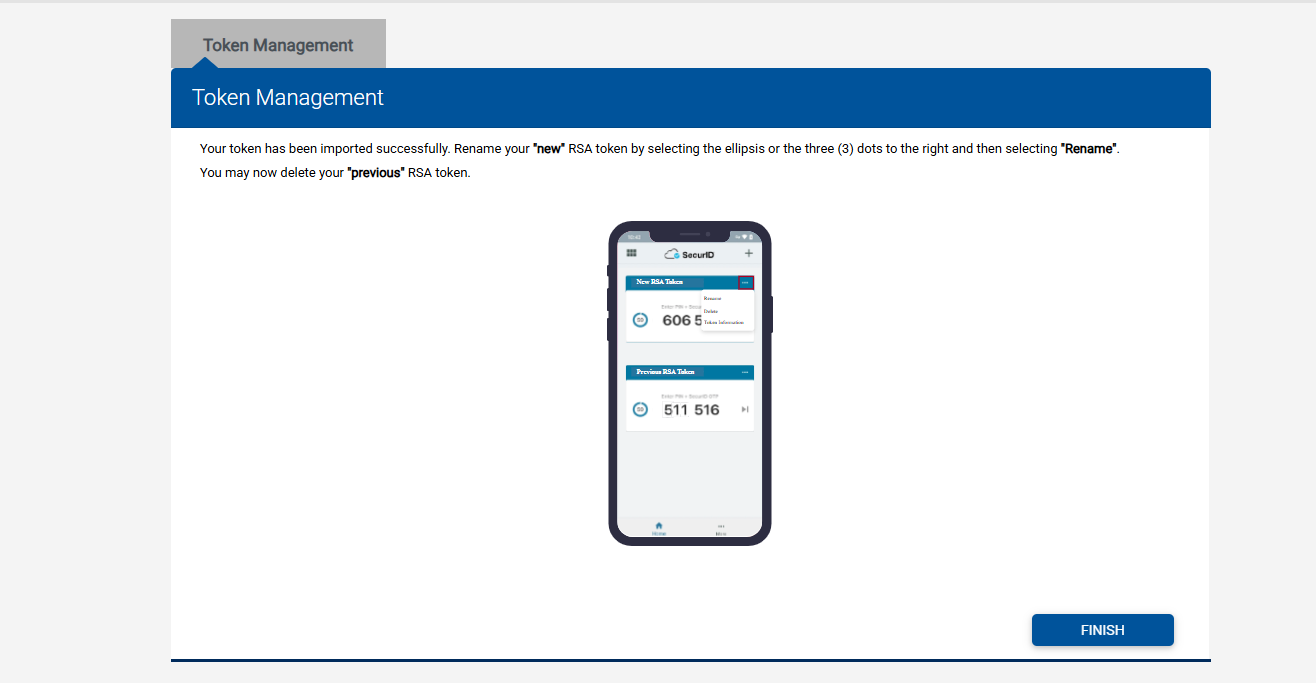
Congratulations on completing this digital token transfer!
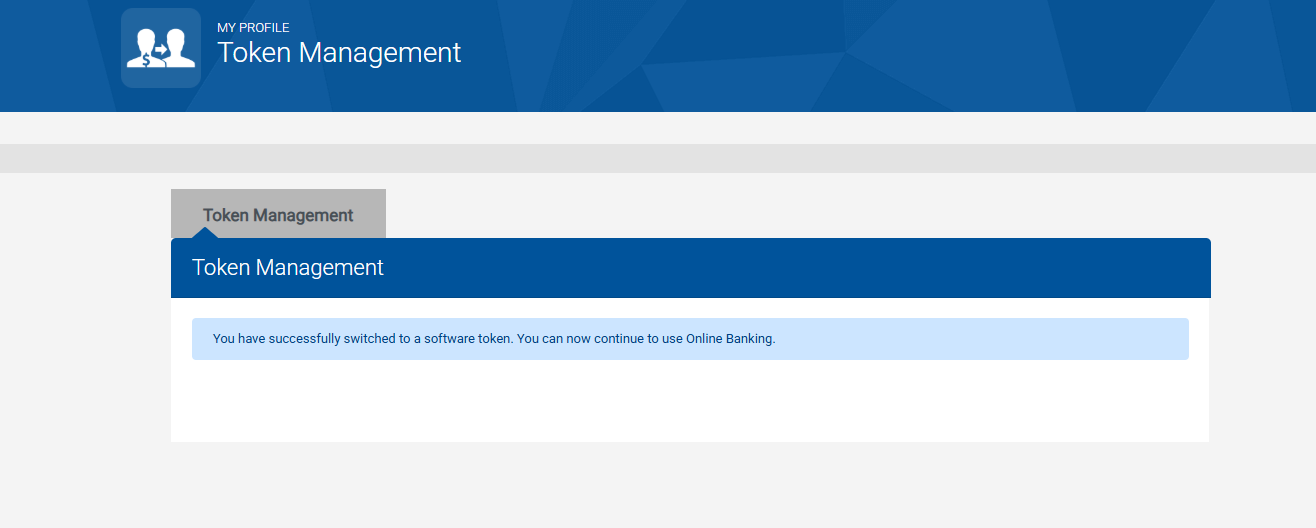
Wrap Up
The entire process took less than 15 minutes, and the best part is, I didn’t need to visit a branch.
Some of you might be wondering if the old token still works. The answer is no. I tried the old token a few times, but it wouldn’t go through. You can only have the token on one device.
If you found this article helpful, share it with a friend or family member. Did you run into any hurdles, or was it smooth sailing? Let me know in the comments section.
ADVERTISEMENT
About Author