 Jason Williams
Your Phone Is The New Card Machine
Jamaica! The Land of Wood, Water, and ‘Card Machine Down’. I’m sure many of you have heard those famous words time and time again. But what if……things didn’t have to be that way? Enter LuniPay! LuniPay aims to fix our constant ‘card machine down’ problem. How, you ask? Well, what if your phone were the new card machine?
Imagine a customer is ready to pay, and instead of hunting for a POS machine, you simply tap their card against your phone. Payment is accepted instantly. Welcome to the future of Jamaican business. You want the customer to pay ahead of time? Just send them a payment link. Once the payment is done, you will receive a notification. It’s that simple.
Interested in LuniPay? You can sign up via my referral link.
Note Well: This article focuses on how to get paid and the features of the platform. Onboarding is not fully discussed; however, the process takes less than 5 minutes. A verification email will be sent to your inbox after signing up. You have to click the link in the email to verify your account. One day after verification, I received an email confirming that I was fully verified.
Accepting Payments
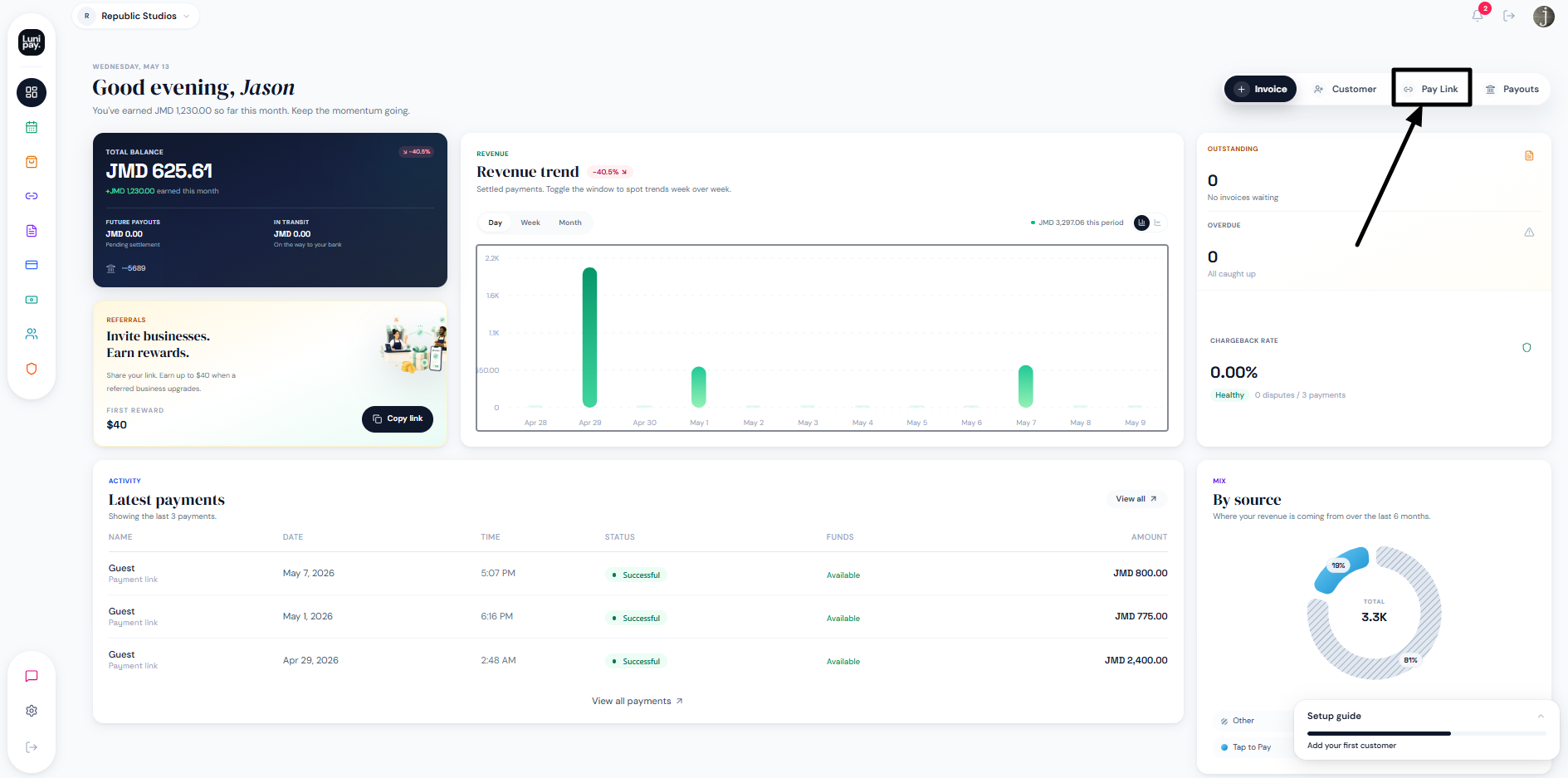
The first thing you will be greeted with after signing up is the LuniPay dashboard. Select Pay Link.
ADVERTISEMENT
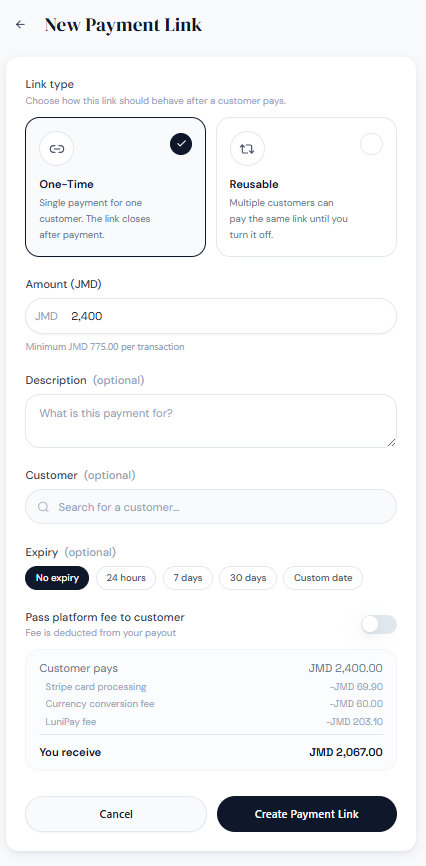
Enter an amount. The minimum amount you can request is $775 JMD. Let’s take a look at the Payment Link features. You can select One-Time or Reusable. If a customer is on your profile, you can search for and assign the payment link to them. Adding a Description will determine the title the customer sees when they open the link.
An expiry time can be set for the customer. LuniPay allows you to either pass the platform fees to the user or absorb them yourself (pretty convenient).
Once the payment link is successfully created, you will see a confirmation page. Send this link to the customer. I created an example link you can check out here.
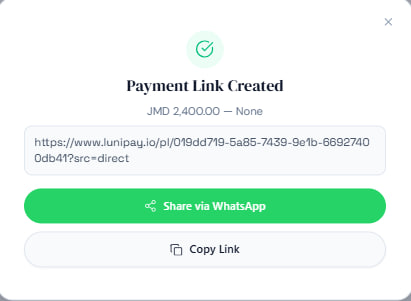
Send the payment link to your customer. Notice that the company logo is present; if a description were set, it would be where ‘None’ currently is, and the company name is below the description. The Customer payment link requires your name, email, and card details.
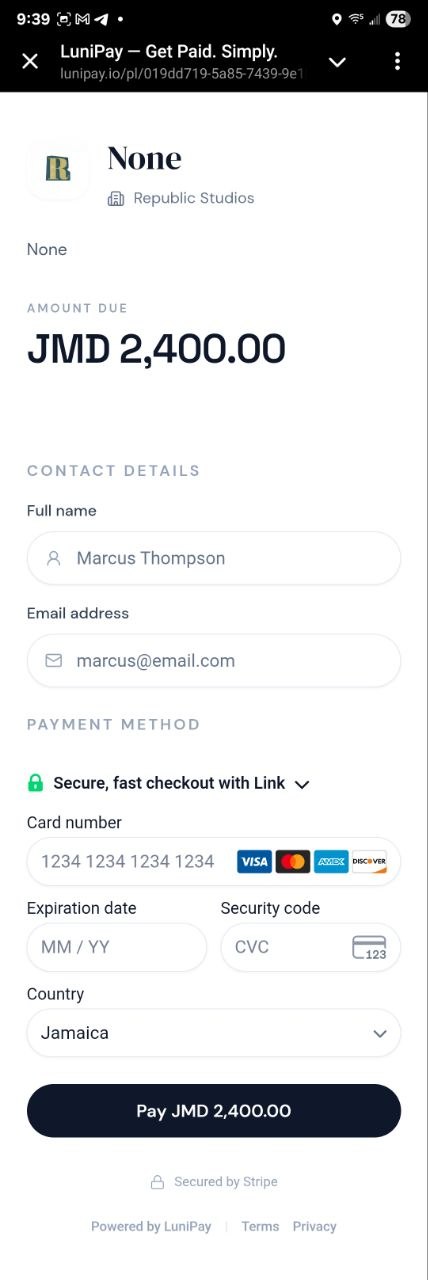
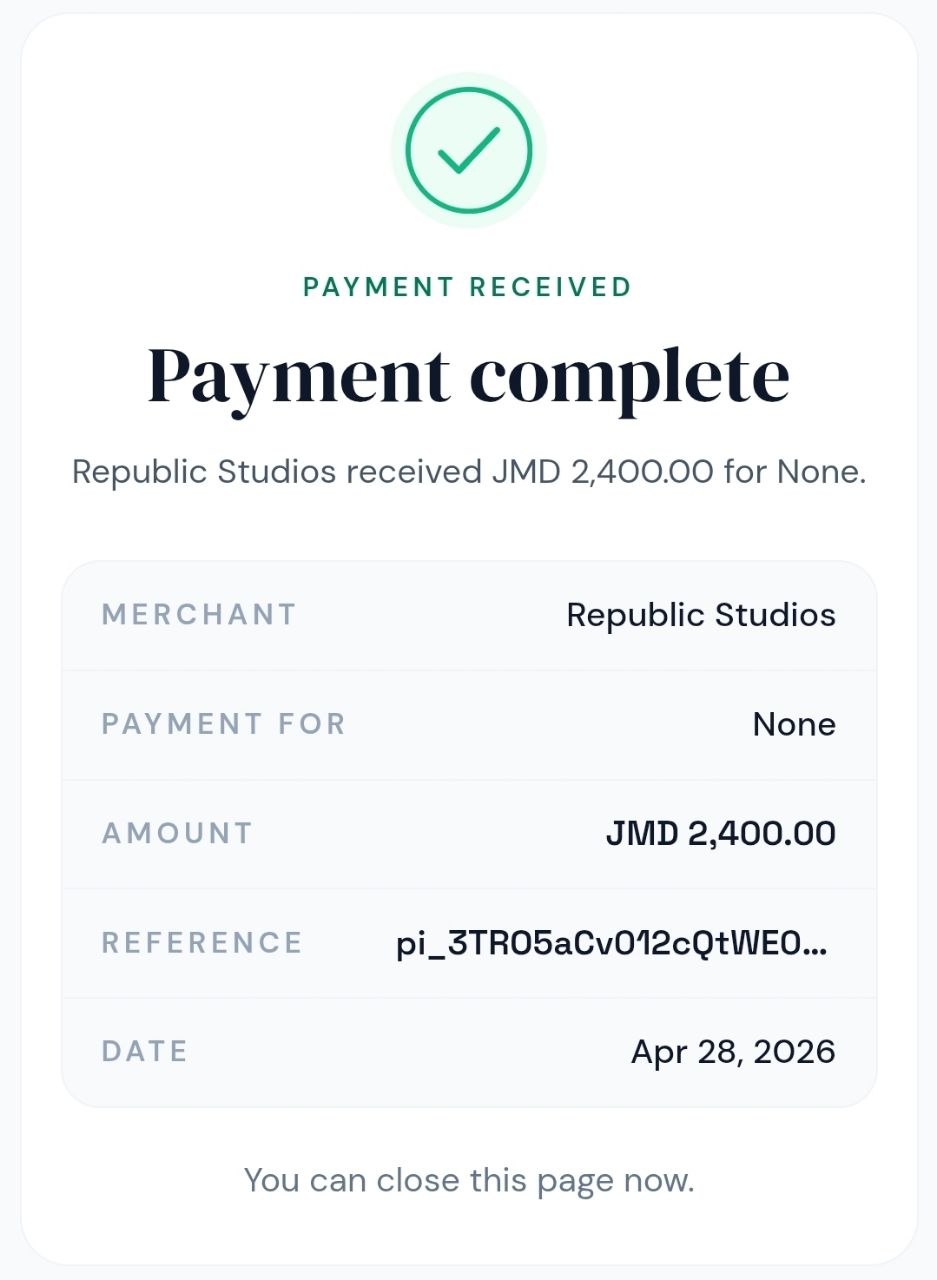
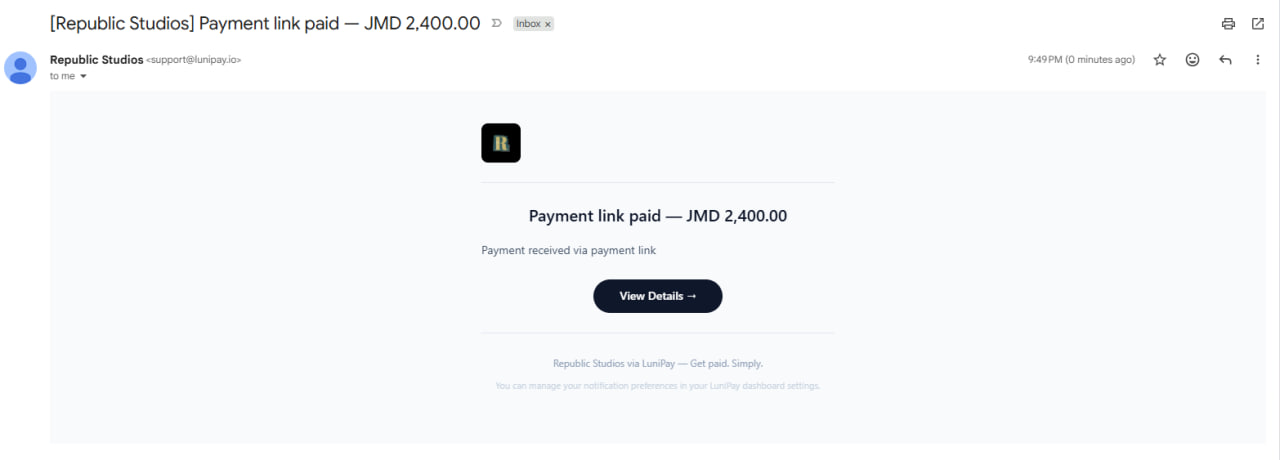
Once all the details are filled out and the customer hits pay, then that’s it! You just received your first payment. An email will be sent confirming the payment while the customer sees a congratulations page.
Easy right? Tell the Card Machine to step aside.
Initiating Payouts
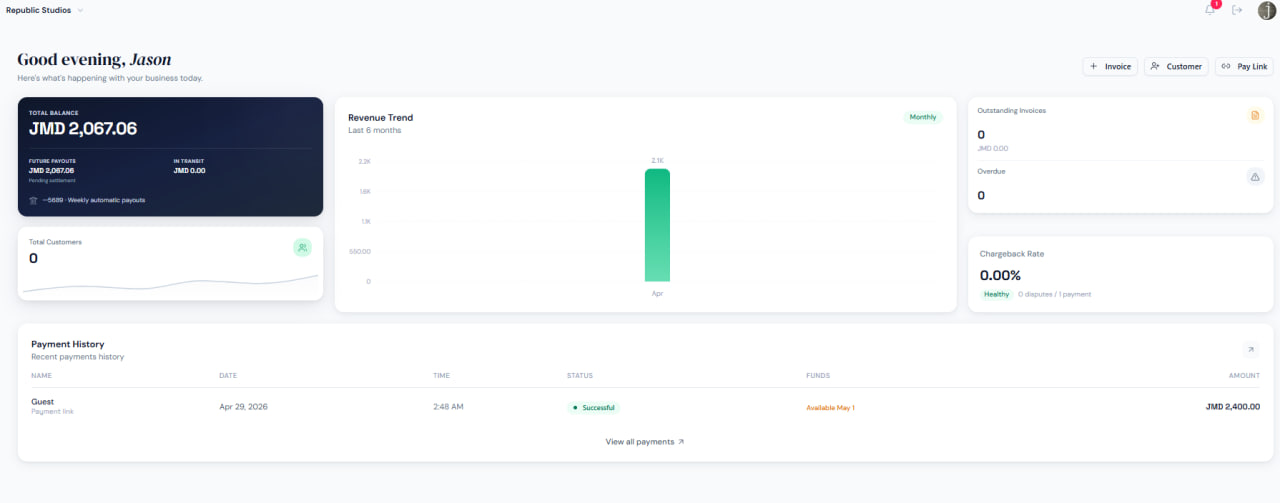
As a new user, your funds are not automatically available for Payout. Payouts usually become available every Friday. As you do more transactions on the platform and build trust, payout time will shorten.
ADVERTISEMENT
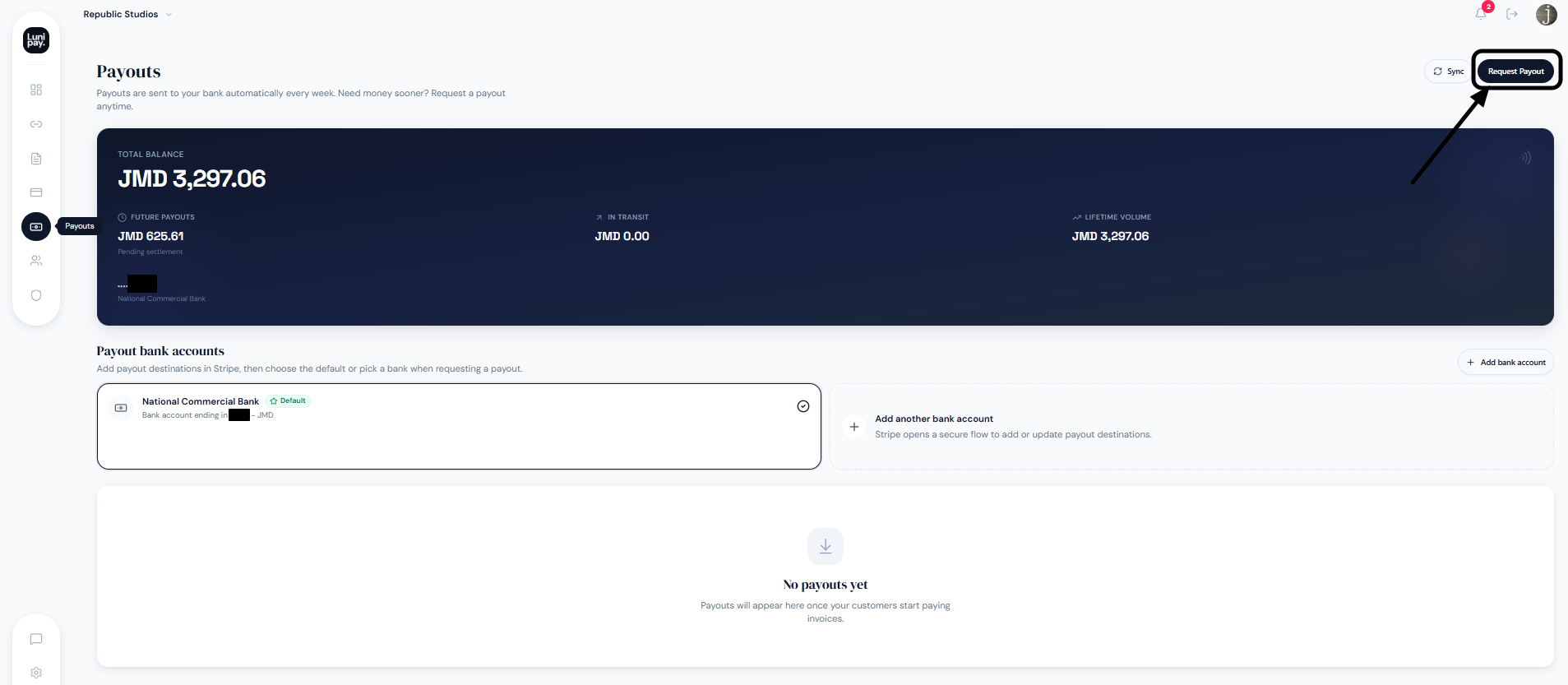
Use the menu bar to the left to select Payouts. Then select Request Payout.
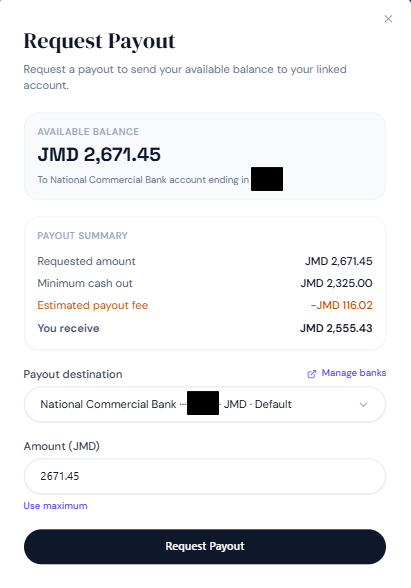
You need a minimum of 2325 JMD to cash out. If you haven’t already done so, make sure to add a bank account. There is a fee for Payouts.
There are 3 statuses that you should look out for. Pending happens after the initial request. It then moved to In Transit after a day. Finally, the status moves to Paid. It takes 3 business days for the payment to show up in your bank account. In this example, a payment was requested on Friday, then it arrived on Wednesday.
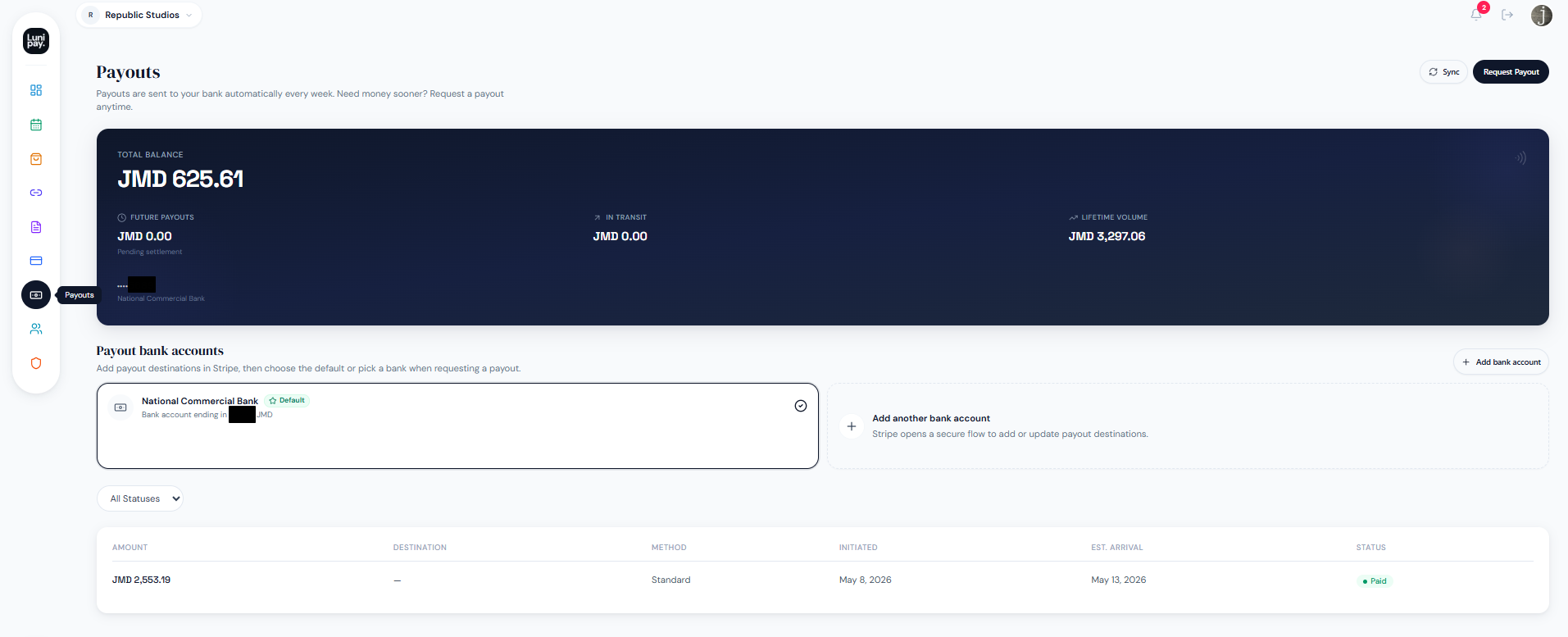
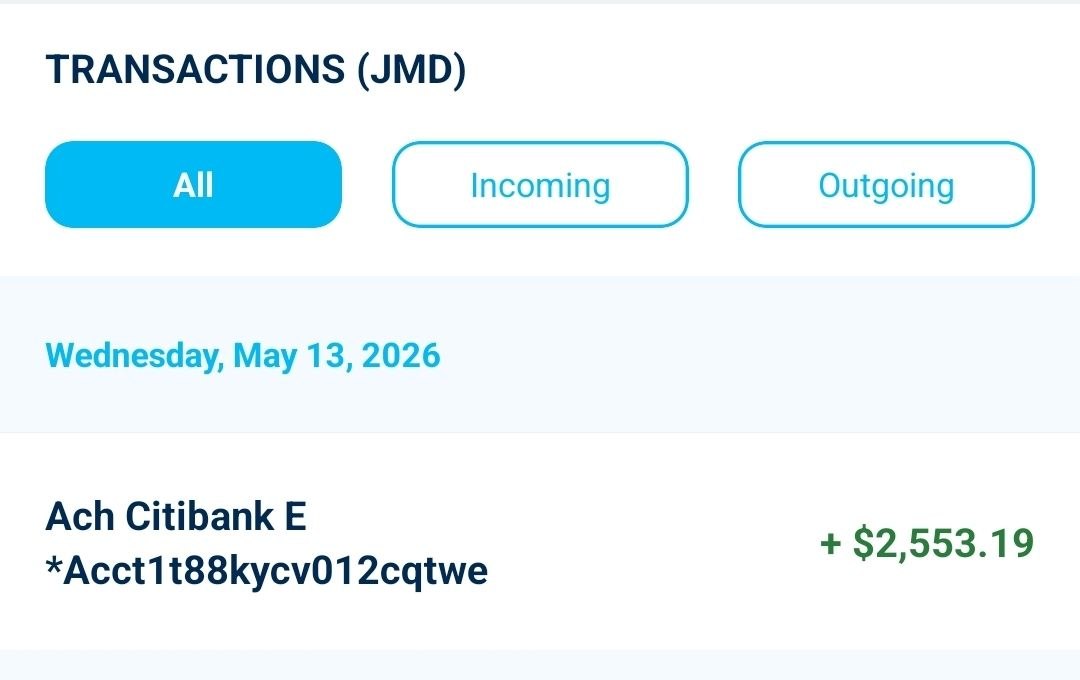
Congratulations! You just received your first payout from LuniPay. So what was the net amount received in my bank account? The answer is $2,553.19 JMD. This means that my actual payout fee was $118.26 instead of the estimated $116.02 I saw earlier.
Wrap Up
The payment space in Jamaica is heating up! This app is well-needed as we have grown tired of depending on card machines. For this country to truly thrive, we need reliable payment gateways. LuniPay arrives in a big way.
The platform is feature rich! You have an amazing dashboard to view payments, a section to manage customers, monitor disputes, and create invoices. While writing this article, the Storefront and Bookings went live. Essentially, you can create a ‘Storefront’ for customers to view your products. The ‘Bookings’ option seems ideal if you run a setup similar to a barbershop, where your times are shown, and people can book a trim.
I tried out the Tap To Pay feature on the Android app, and it worked within minutes. This app is a must have for anyone with a large, medium, or small business. I look forward to seeing what LuniPay will do next.
Is there a business you would love to see use LuniPay? Are you interested in using LuniPay for your own business? You can sign up via my referral link.
So, what do you think? Have you tried LuniPay yet? How has the payment experience been for you? Let me know in the comments below!
ADVERTISEMENT
About Author