 Jason Williams
Overview
Are you looking for affordable prescription glasses online? Well, look no further! Zeelool sells a wide variety. The sky-high prices of prescription glasses have been a longstanding complaint for many Jamaicans.
This article assumes you already have a courier with a U.S. shipping address. If you don’t already have one, I recommend using Rocketship. Please read the entire article to the end before purchasing your glasses.
Get A Prescription
Get your eyes examined and ask for the prescription. If your local eye clinic will not provide a copy of the prescription, consider having the test done elsewhere. Ensure that the PD(Pupillary Distance) section is filled. This is very important, so ask them about it before the eye exam!
Ask them to fill the PD before they give you the prescription. Some may ask you to pay for it; if they do, definitely pay!
Buy Your Glasses
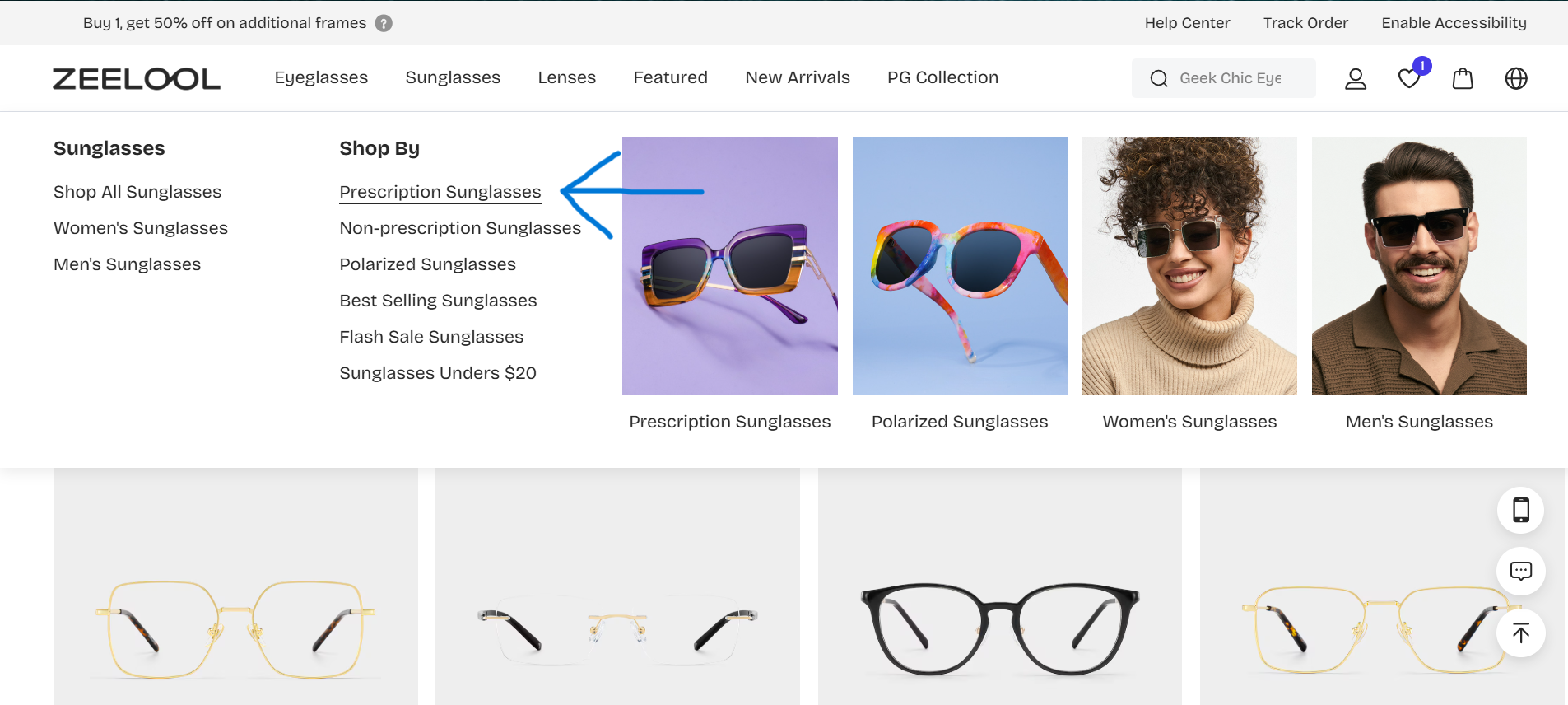
Head to Zeelool, hover over “Lenses,” and select “Prescription Glasses.”
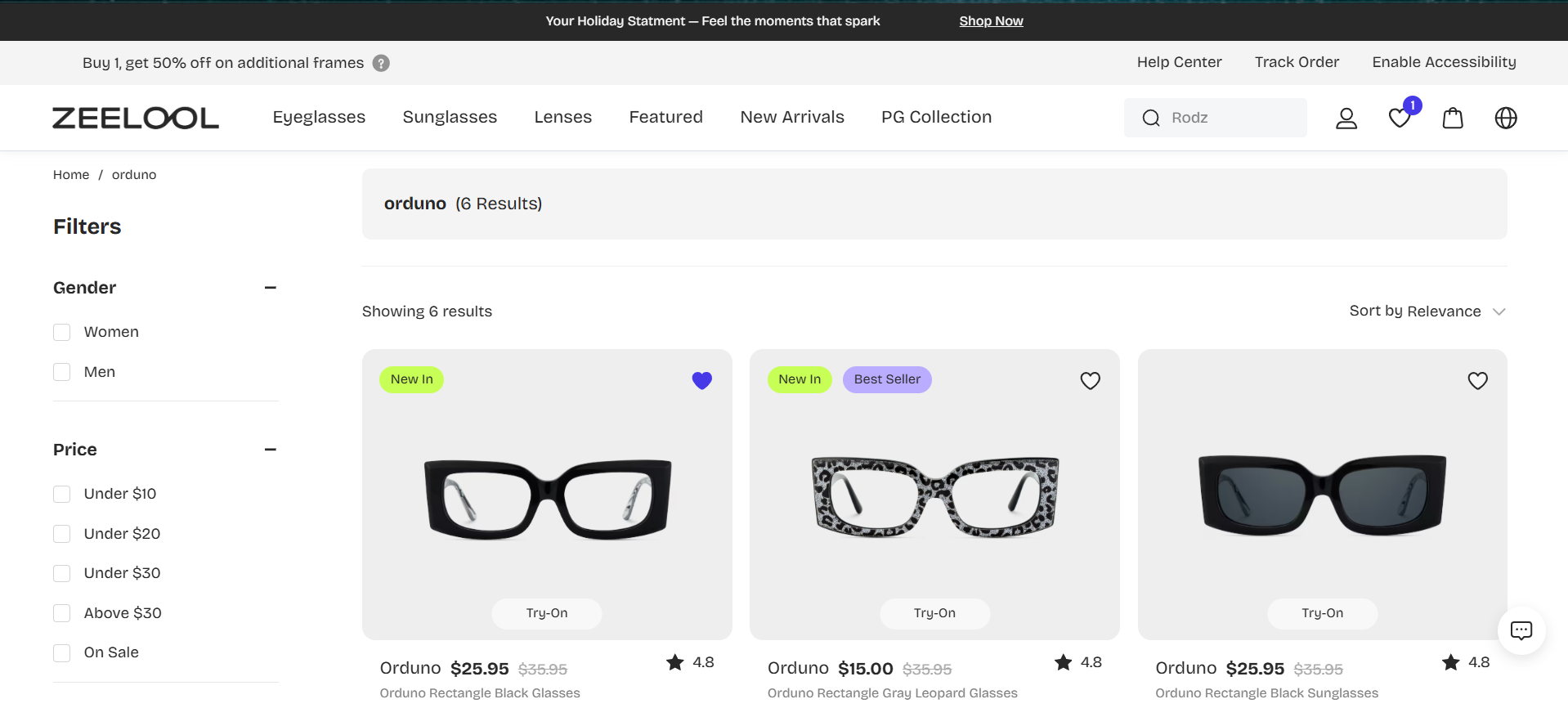
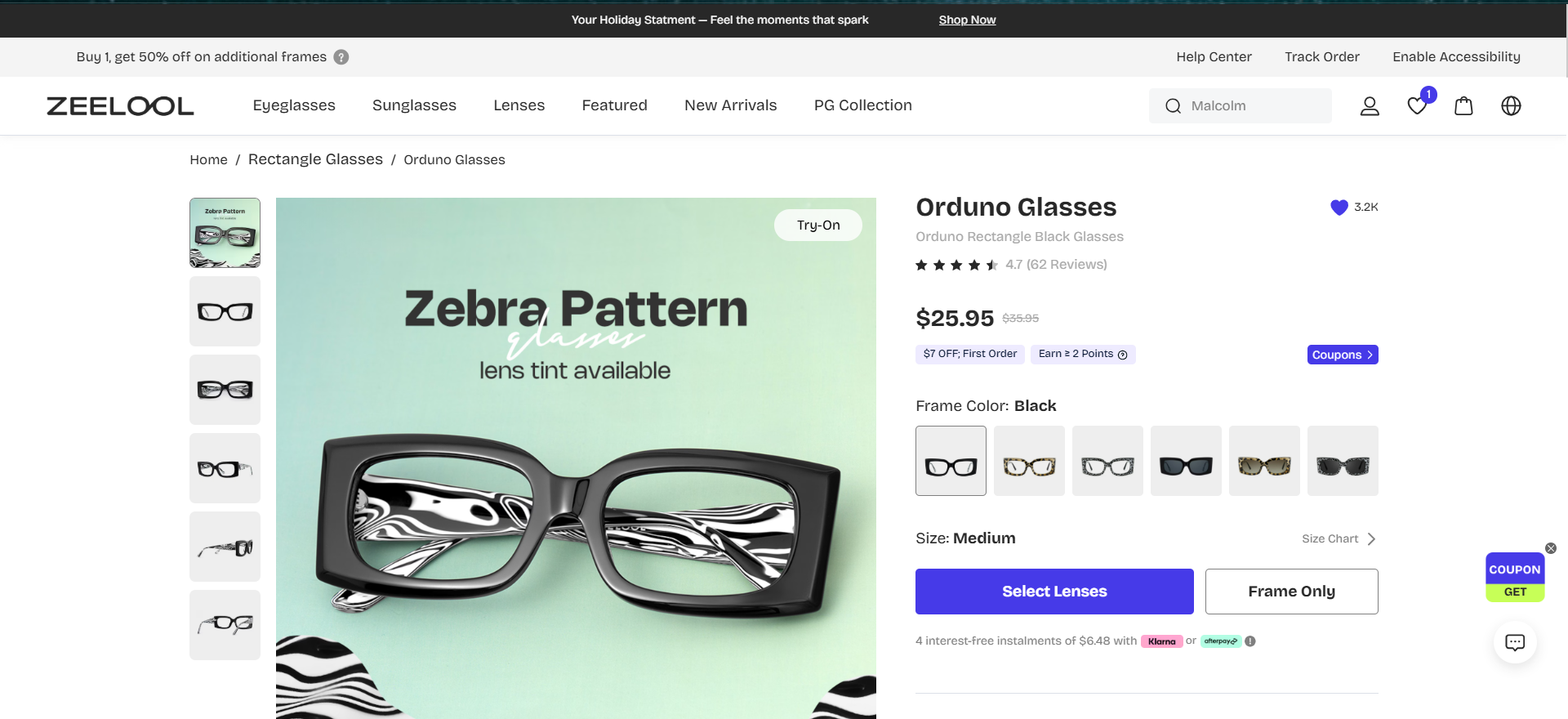
Find a pair of glasses that you like and select it.
Select your Preferred Lenses.
ADVERTISEMENT
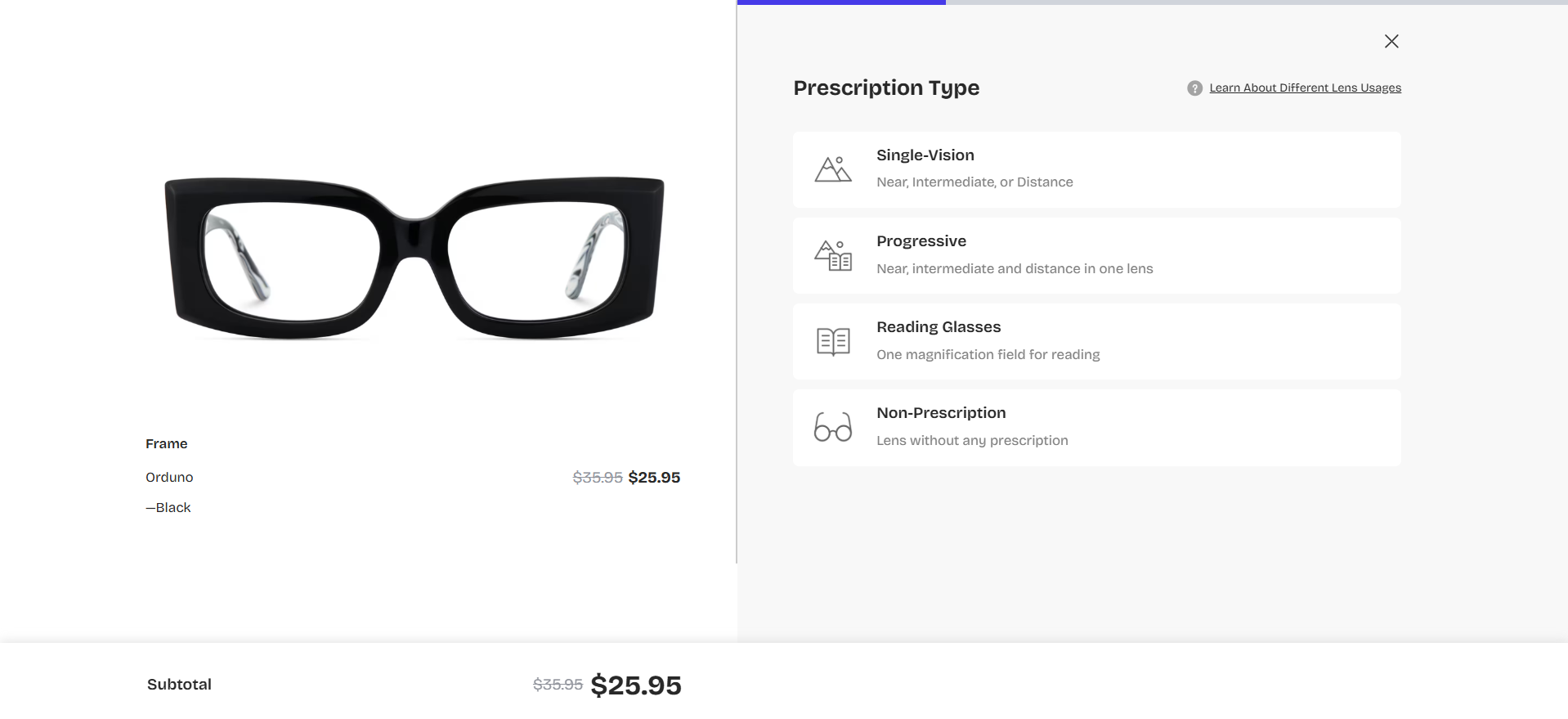
Select your Prescription Type.
Note Well: If you chose a tint, you may see a screen that has ‘Sun Glasses Non-Prescription’ or ‘Sunglasses Prescription’. The focus of this article is prescription glasses, so choose non-tinted glasses.
Before you buy, verify your lens type. If your prescription doesn’t explicitly say ‘Progressive’ or ‘Single Vision,’ upload a photo to Google Gemini for a second opinion.
Copy/Paste this prompt: Help me select the right lens type for a Zeelool order. Looking at my prescription, do I need Single Vision or Progressives? Please also let me know if my prescription requires High-Index lenses based on my SPH and CYL numbers.
It’s best to clarify the prescription type before you leave the eye clinic.
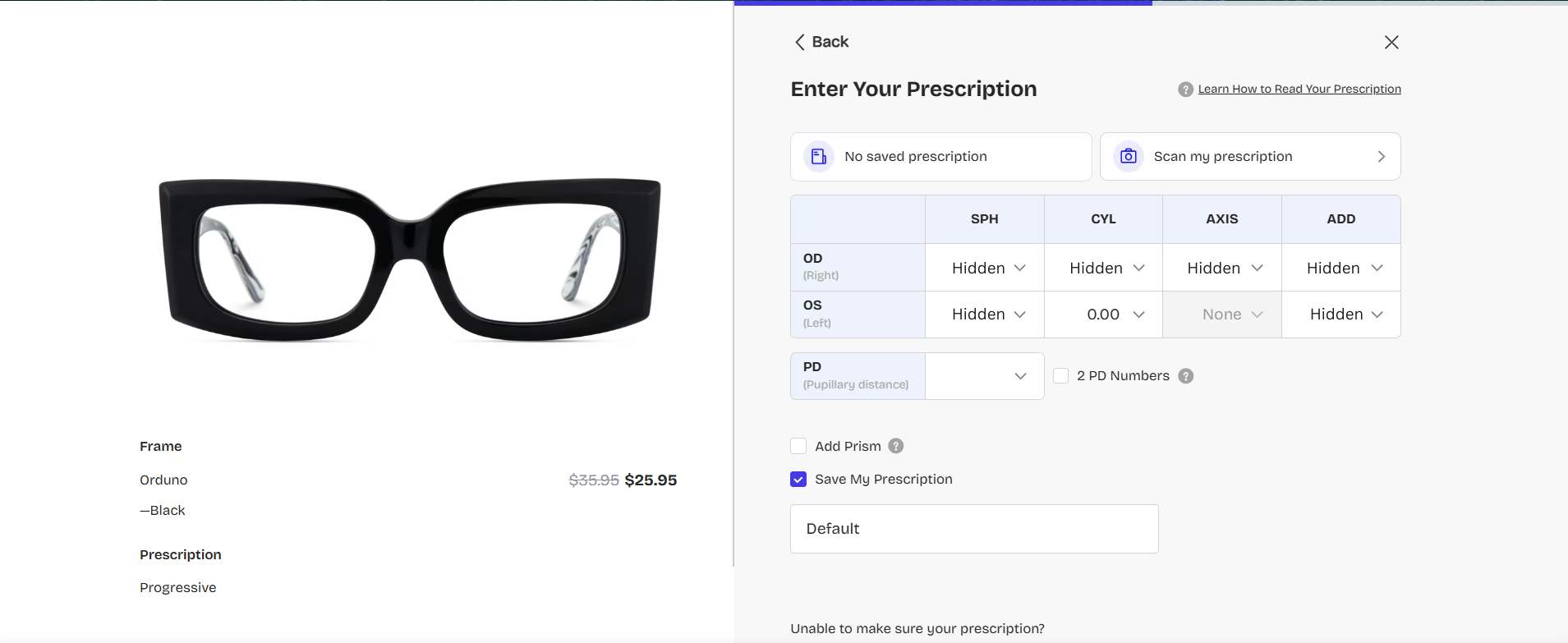
Enter your prescription details. The Pupillary Distance(PD) is usually given as a combined number; however, there are cases where two will be given. Tick the box beside ‘2 PD Numbers’ if that is the case.
If you were unable to obtain the PD from the eye clinic, Zeelool offers a PD Ruler that you can download.
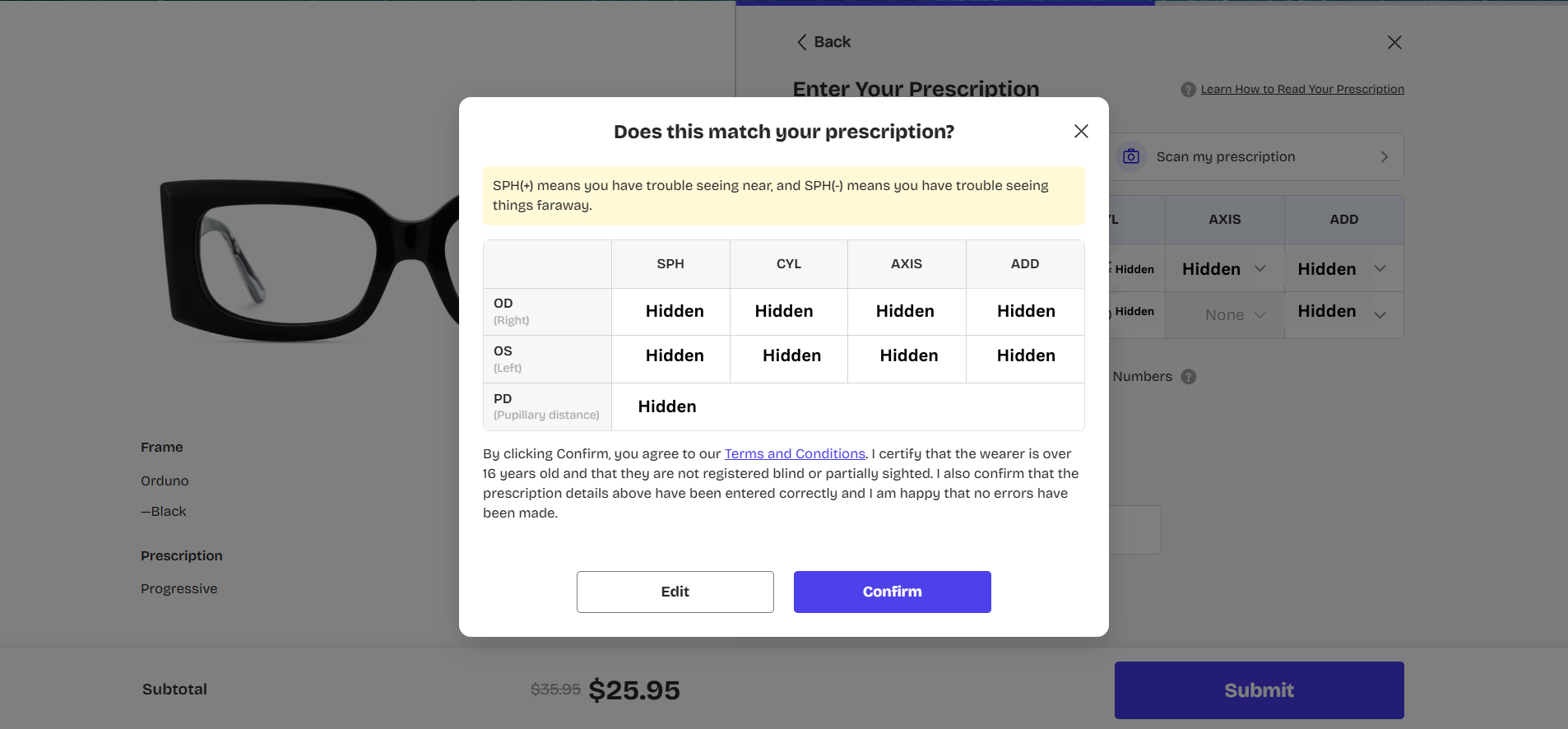
Confirm The Prescription
Select the Lens Type
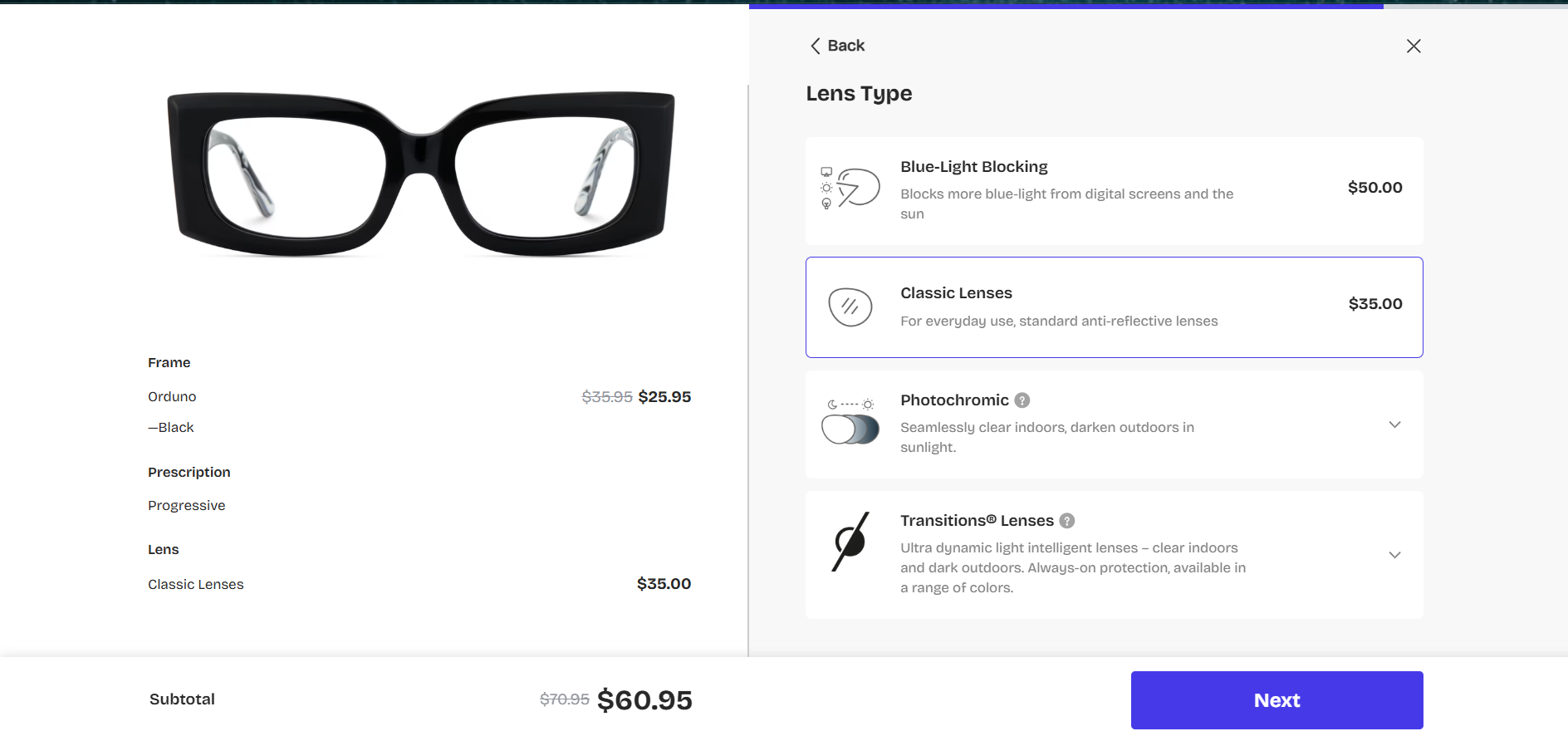
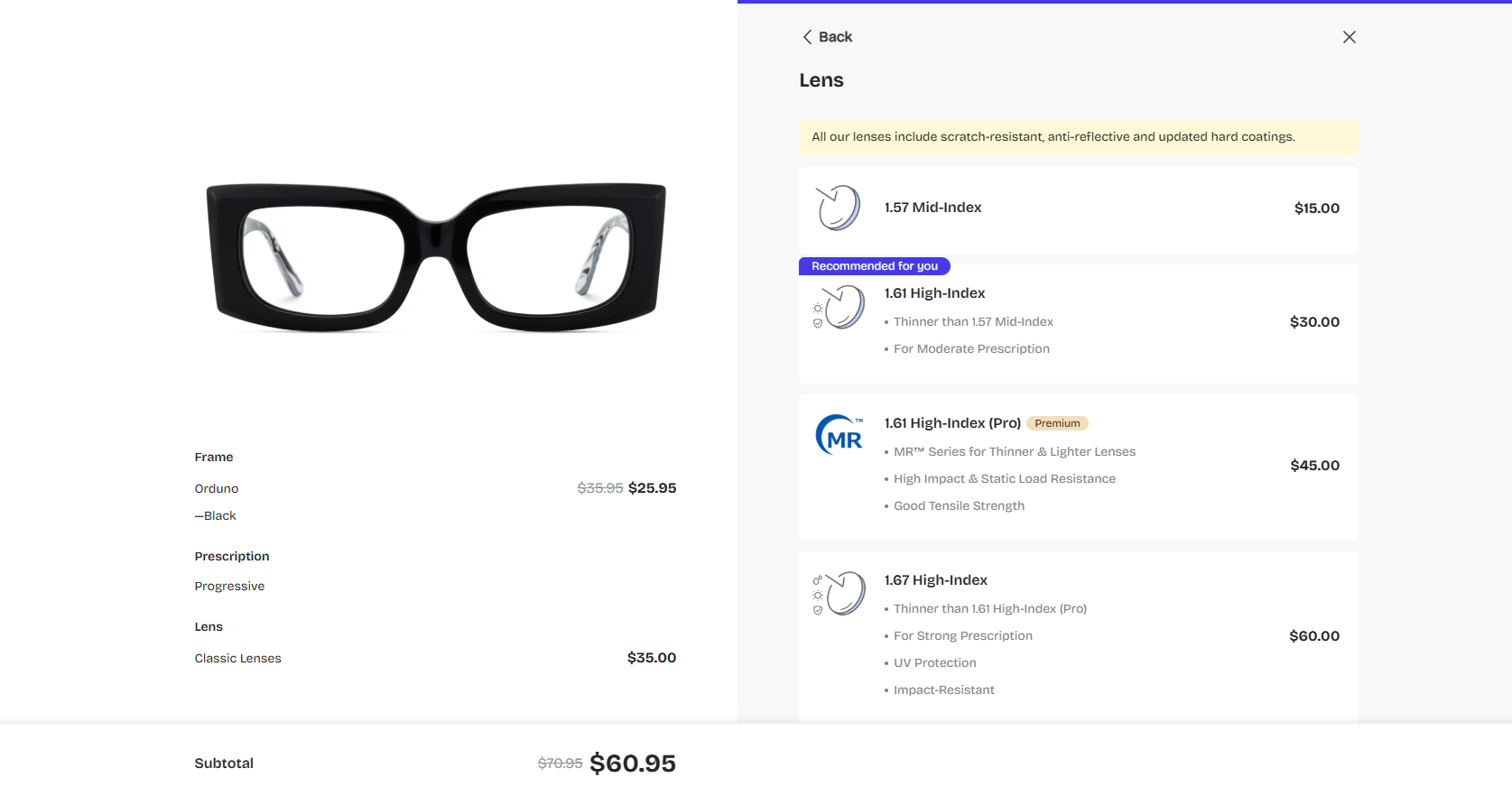
Select the lens type, part 2. You can select the recommended Lens from Zeelool or ask Google Gemini for advice.
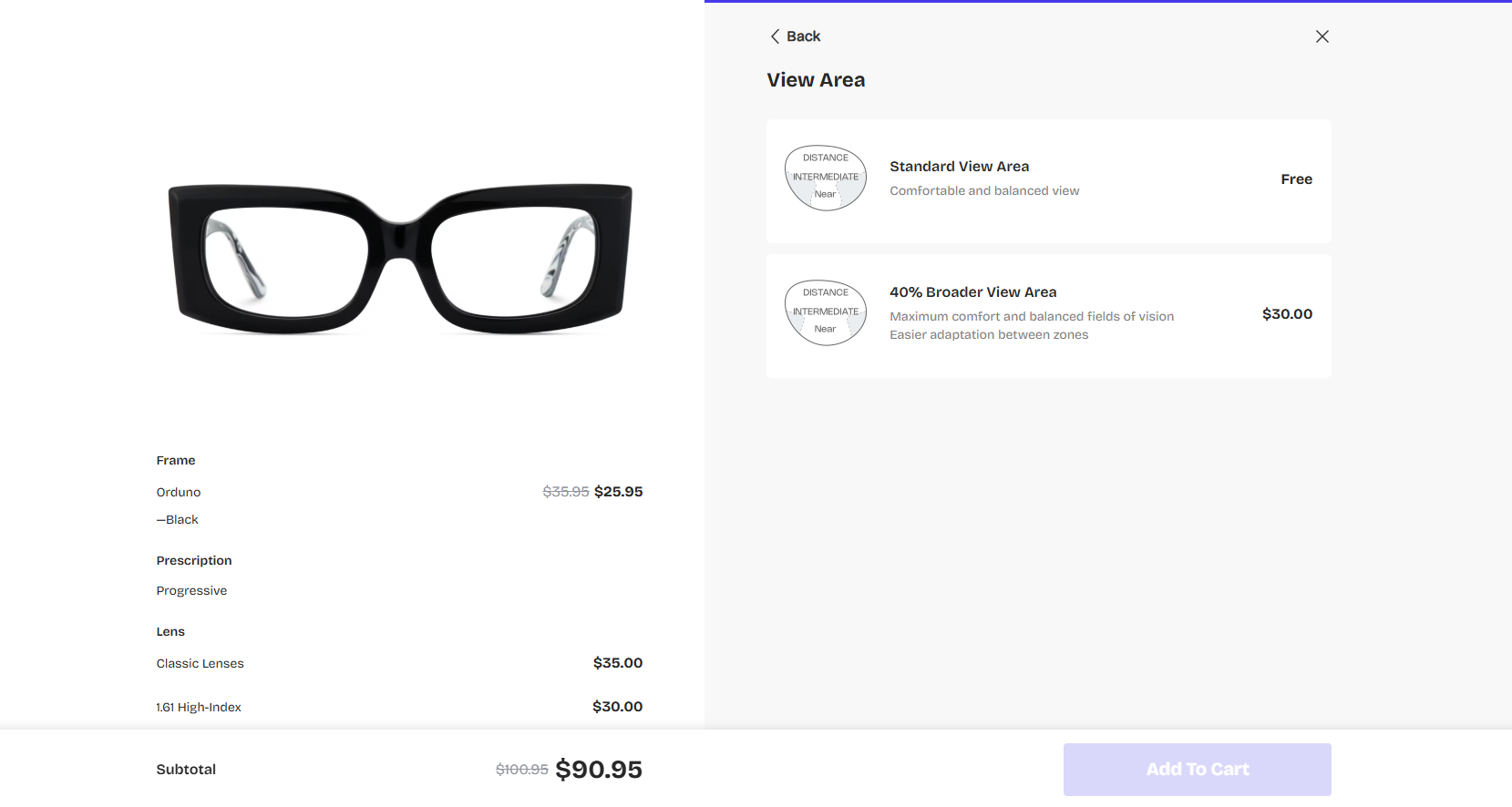
Select the View Area
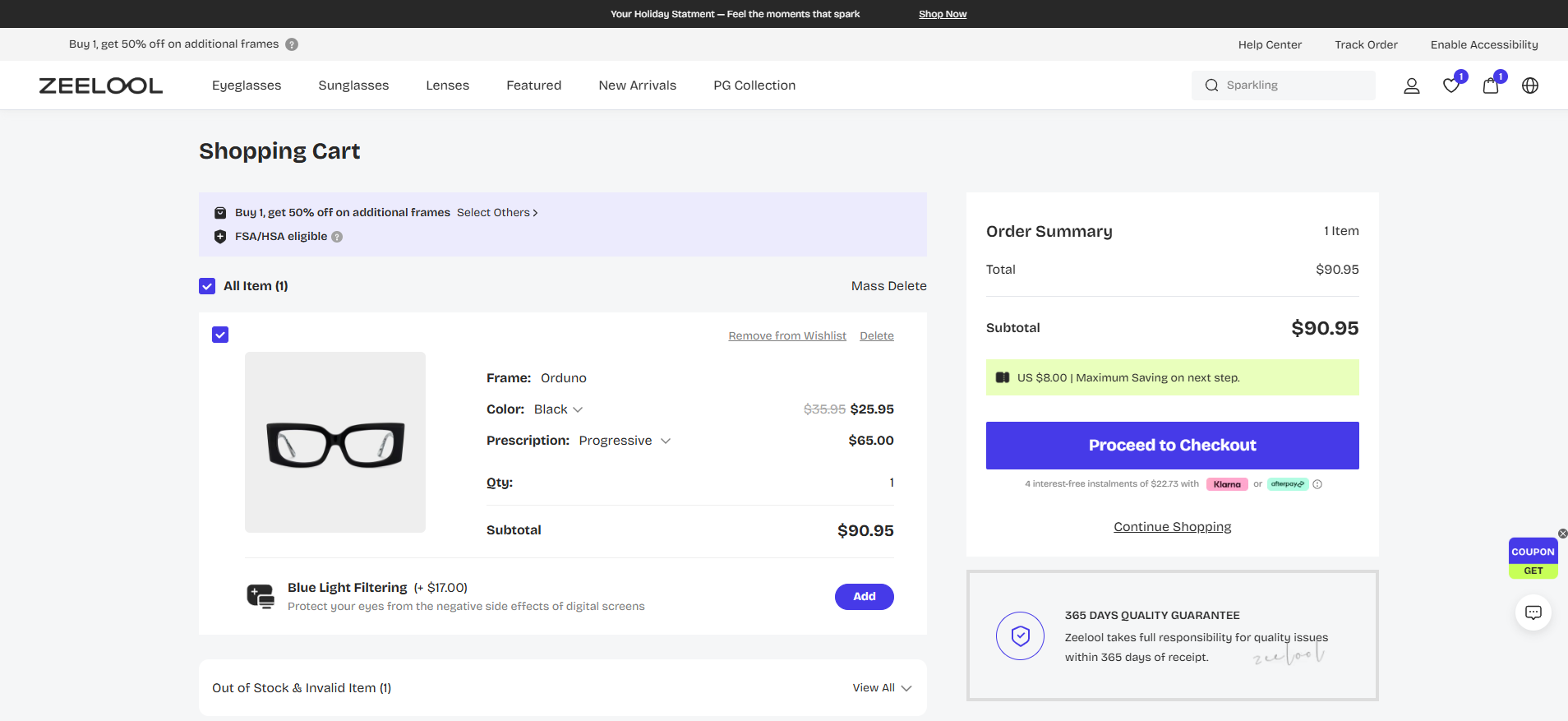
Review, then select Proceed to Checkout.
Add Your Shipping Address
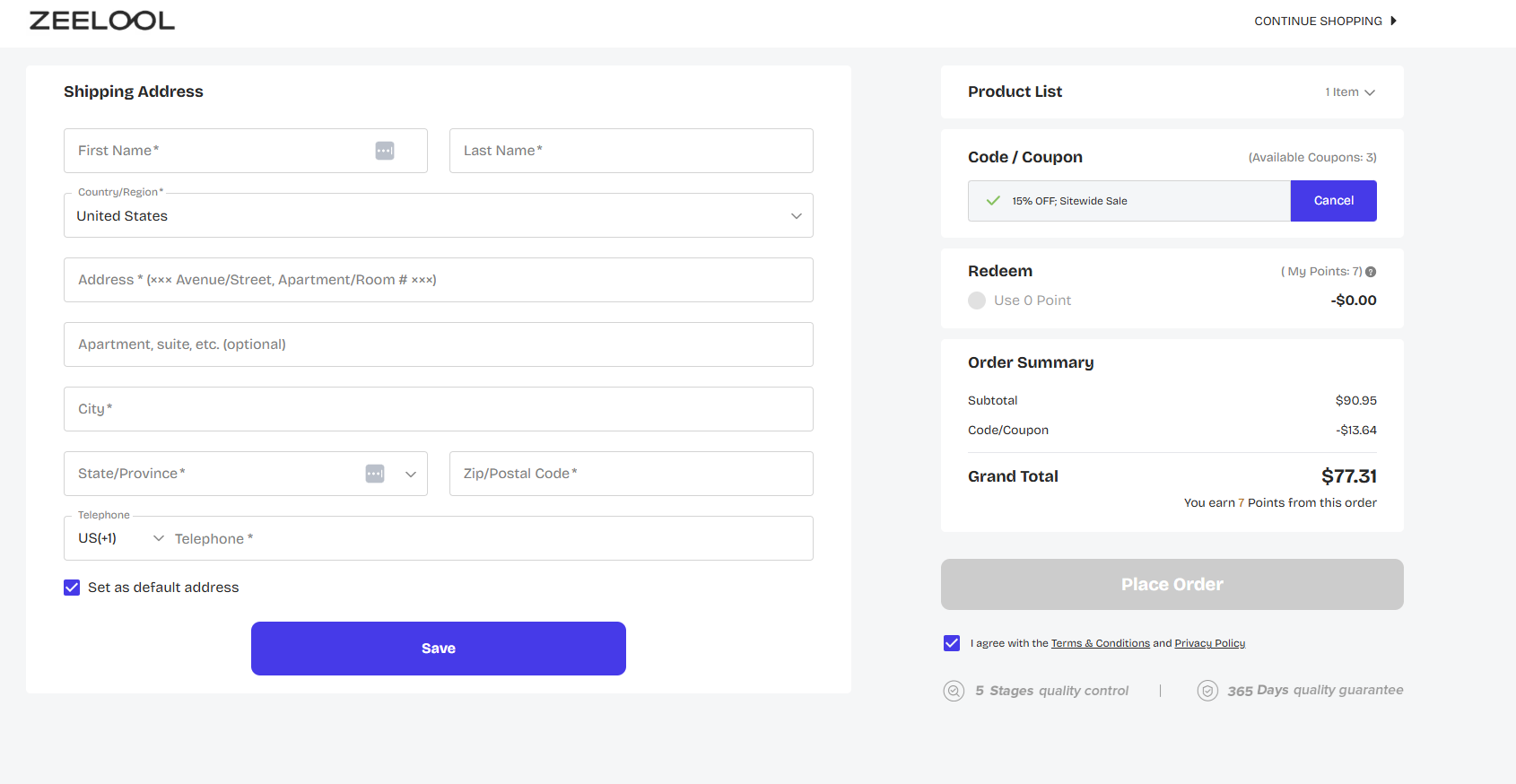
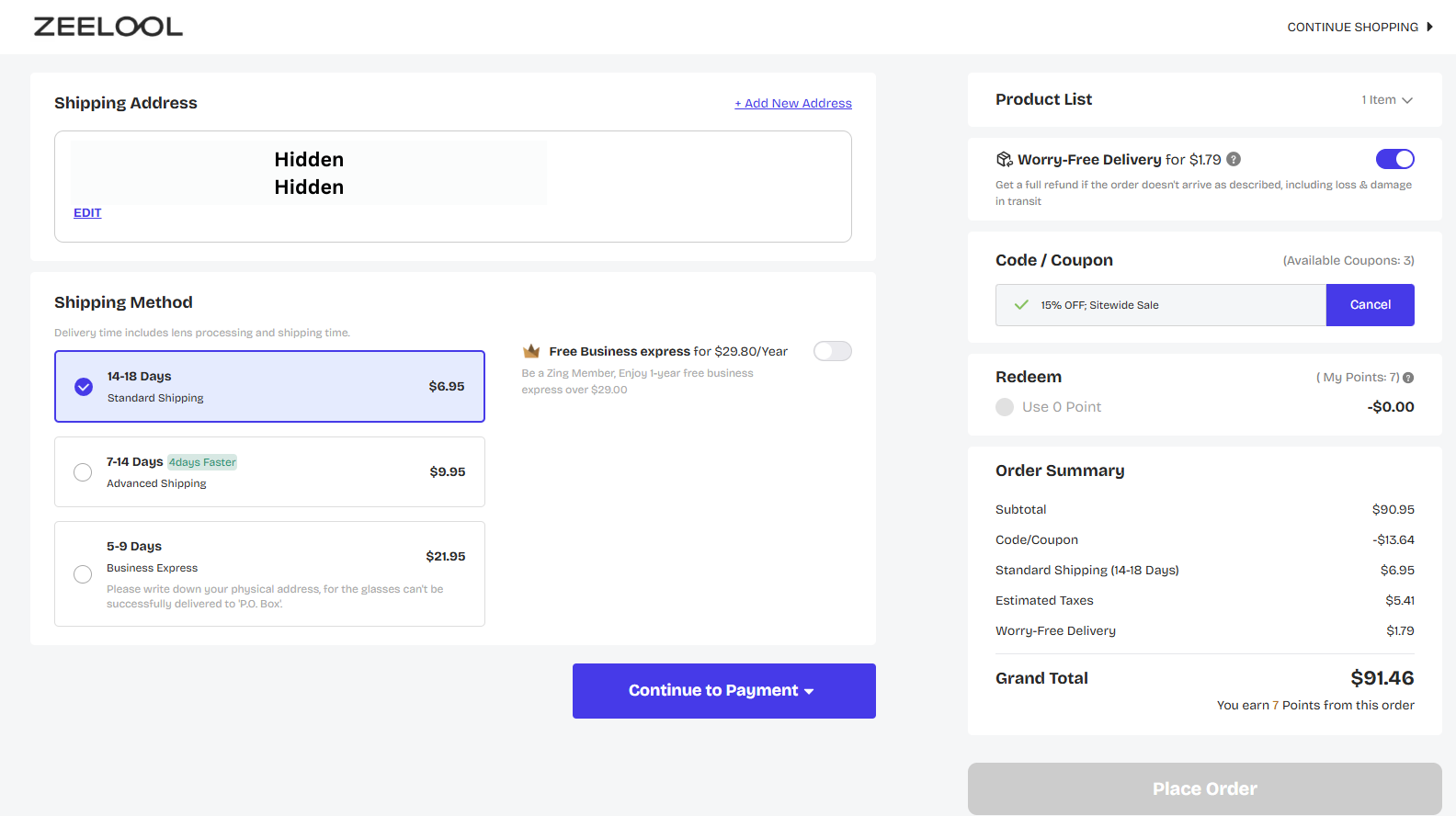
Select The Shipping Method. Worry-Free Delivery is recommended just in case the glasses get damaged.
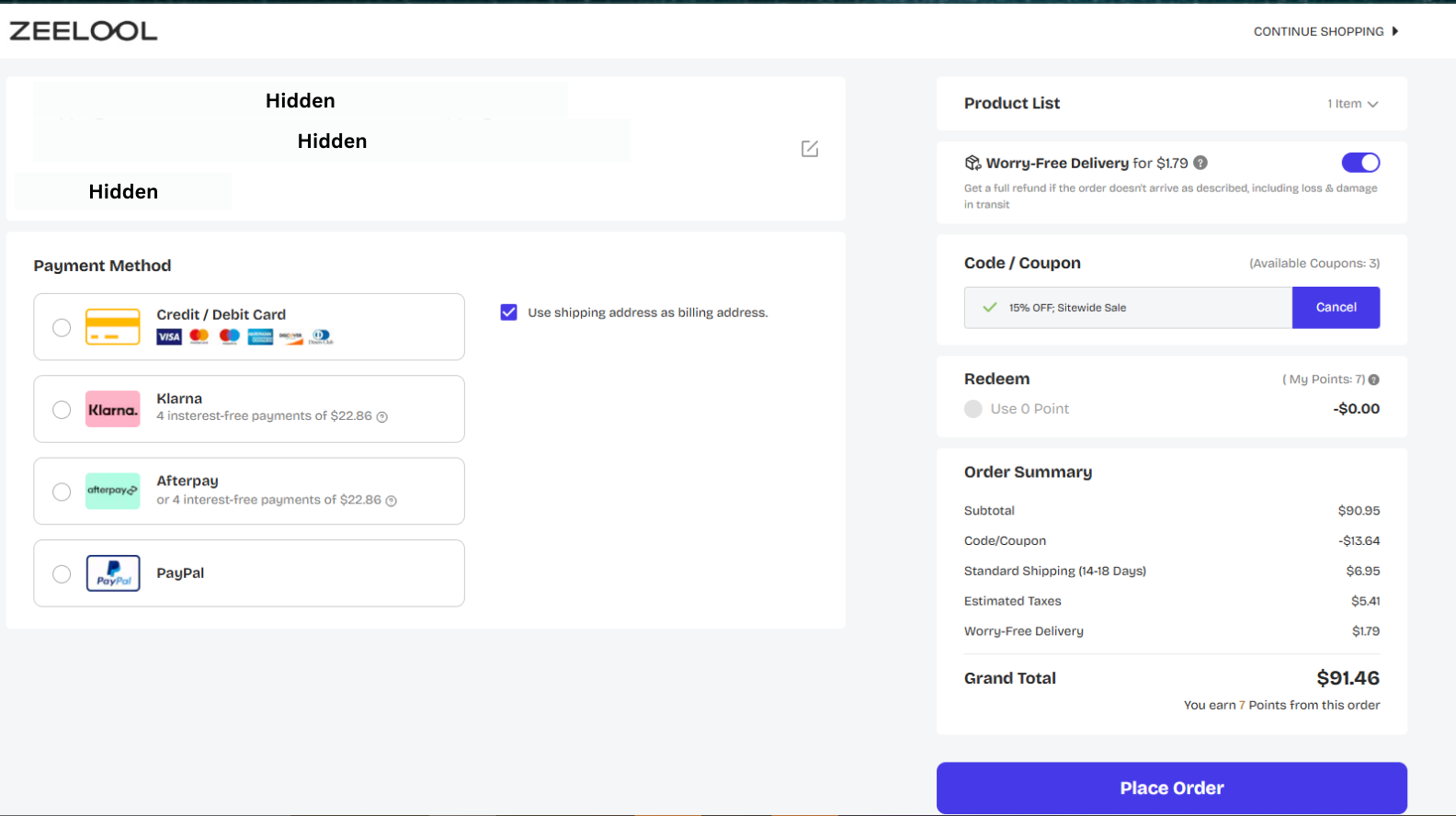
Choose Your Payment Method. Credit/Debit Card was used in this example.
ADVERTISEMENT
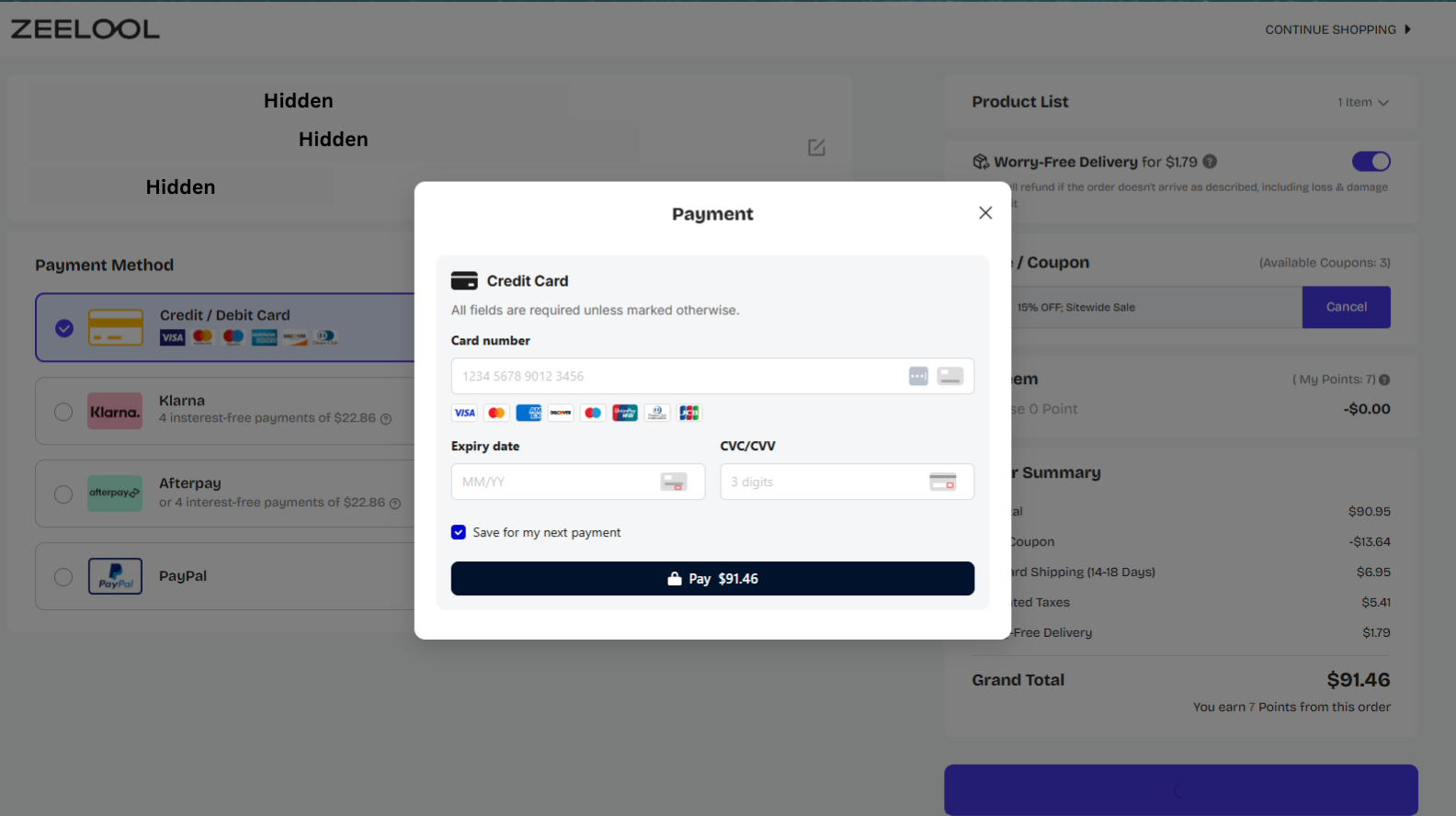
Enter Card Details
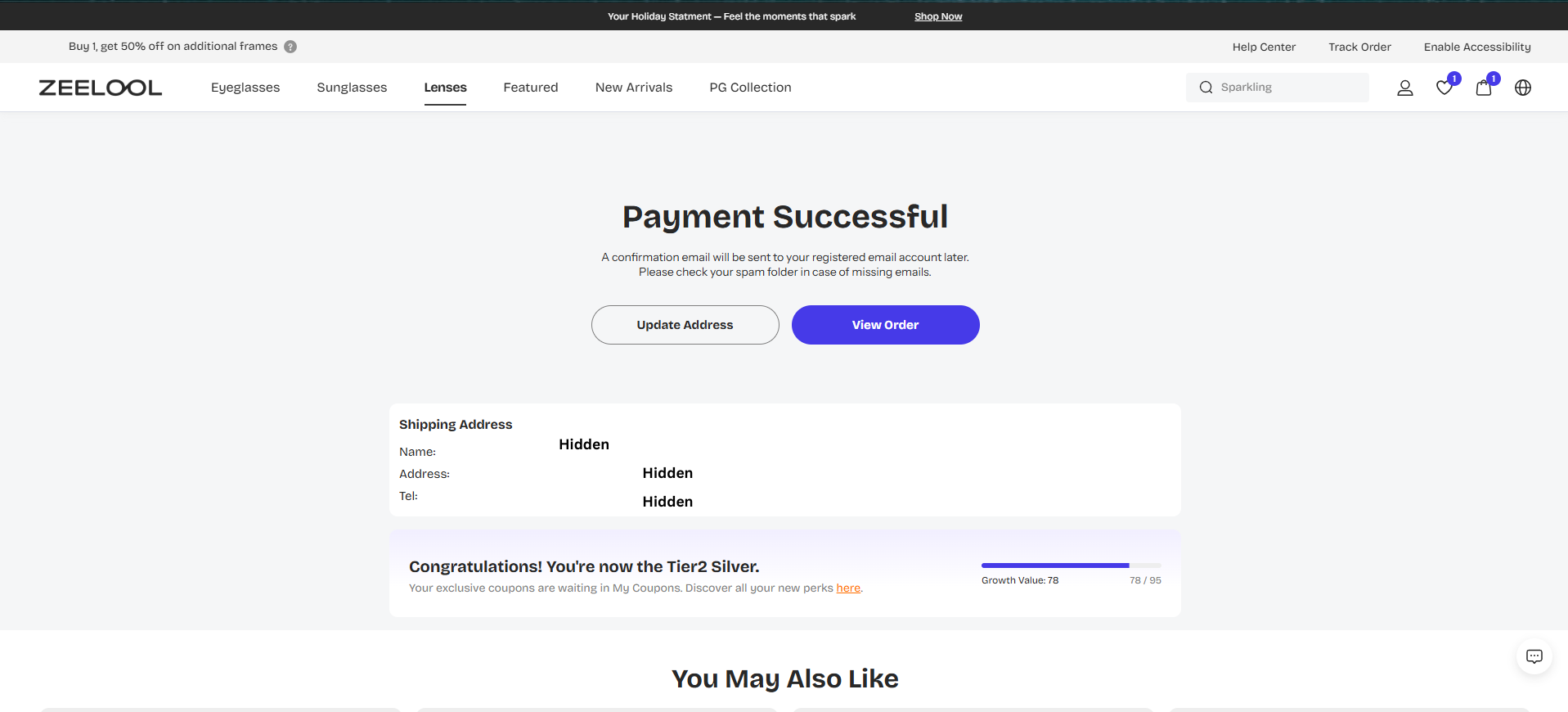
Congratulations! Payment Successful.
Wrap Up
The overall process was quite smooth! Let’s look at the timeline for this order. The order was placed on December 19th, 2025. These glasses were made, then sent off for Delivery on December 20th, 2025. The Glasses arrived at my Miami Shipping Address on December 29th, 2025. From the order being placed to delivery, that’s 10 days.
I got the ‘Package Received’ email from Rocketship on December 29th. The ‘Package Ready’ email was received on January 3rd, 2026. The entire process took 16 days or just a little over 2 weeks. Collecting the glasses from Rocketship costs $1,139.51.
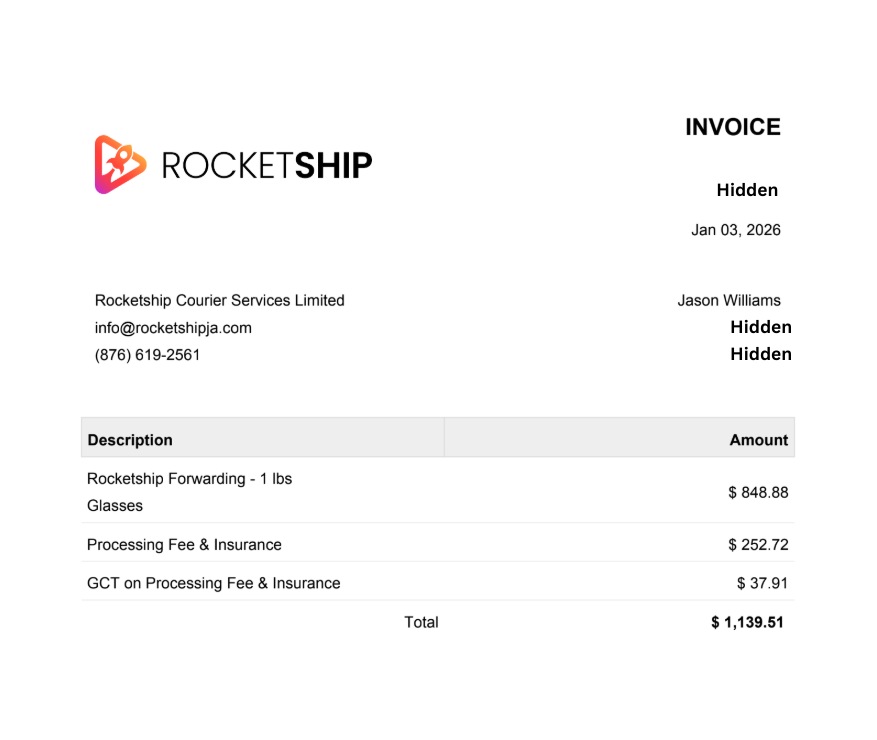
The Glasses were quoted for about $90,000 at a local eye clinic. The total cost for these glasses plus the Rocketship fee is around $16,000. As such, these glasses cost about 82% less! Tell a friend about Zeelool today.
Note Well: The author has affiliate links in this article.
ADVERTISEMENT
About Author